Keep records from stalling in your Zoho Creator apps
Every morning, WebRun opens your Zoho Creator apps, runs the report views you nominate to find records sitting in a pending or awaiting approval status, records how long each has waited and who owns it, posts the queue to Microsoft Teams grouped by app, and books a short Google Calendar review slot when anything has waited past your service target.
- 7-day free trial
- Under $0.01 per run
- Cancel anytime

What does WebRun do on every run?
The exact actions WebRun takes, in order - in plain language, so you can adjust anything.
-
WebRun signs in and gets to work
Opens
creator.zoho.comin a real browser with your saved login - no setup, no API keys. -
1
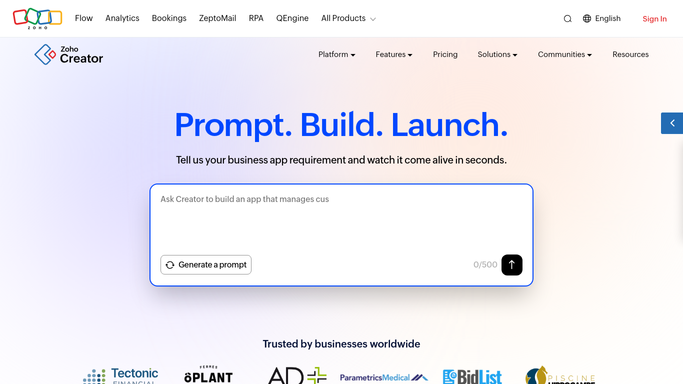
Zoho Creator - find records stuck pending
creator.zoho.com

WebRun opens Zoho Creator to find records stuck pending. - Open Zoho Creator and go to each application you nominated
- Open the report views that list records by status
- Capture every record still in a pending, awaiting approval or in review status
- For each record note the identifier, the owner, the date it was submitted and how many days it has waited
- Flag records past the service target you set for that app
- Note records with no owner assigned at all, since those stall indefinitely
Done when Every pending record across your nominated apps is listed with an owner and a waiting time.
-
2
Microsoft Teams - post the queue by app
microsoft.com How to Automate Microsoft Teams
WebRun opens Microsoft Teams to post the queue by app. - Post the pending queue to your operations channel, grouped by application
- Sort each group oldest first and show the owner and days waiting on every line
- Put unowned records in their own section, since assigning them is the first fix
- Show how the queue moved since yesterday: cleared, newly pending, and still waiting
Done when Today's pending record queue is in Microsoft Teams, grouped by app with owners named.
-
3
Google Calendar - book time to clear the backlog
calendar.google.com How to Automate Google Calendar
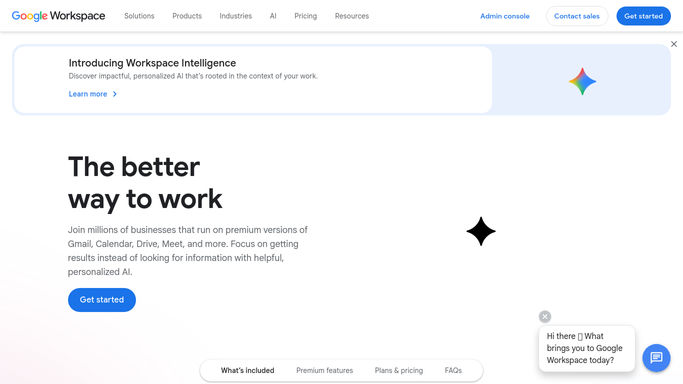
WebRun opens Google Calendar to book time to clear the backlog. - When records have waited past your service target, add a short review event to today's calendar
- Put the app names, record counts and the oldest waiting time in the event description
- Skip the event when the queue is inside target so your calendar stays honest
- Never approve, edit, submit or delete a record. WebRun surfaces the backlog and your team clears it in Zoho Creator
Done when A review slot exists on days when the backlog breached your target.
How do I find records stuck pending approval in my Zoho Creator apps?
WebRun checks your nominated Zoho Creator apps every morning for records sitting in a pending or awaiting approval status. It posts the queue to Microsoft Teams grouped by app, with each record's owner and days waiting, and books a Google Calendar review slot whenever the backlog breaches the service target you set.
- Records stuck awaiting approval are named with an owner every morning
- Unassigned records get their own section, since assignment unblocks them
- A review slot appears only on the days the backlog breached target
Built for operations managers · business app owners · no-code builders · process owners
How is each run configured?
Secure by default
Connect once, stays signed in
WebRun signs in once and keeps each session in a persistent environment, so every run picks up right where it left off.
Every action is checked against this policy before it runs.
Questions, answered
Will it approve or edit records in my Creator apps?
No. WebRun opens your report views and reads them. Approving a record, editing a field, submitting a form and deleting anything all stay with your team, because those change your business data.
Which apps and views does it check?
Only the applications and report views you nominate. WebRun does not crawl your whole Zoho Creator account, so apps you leave off the list are never opened during the run.
What happens to records with no owner?
They get their own section in the Microsoft Teams post, because an unassigned record can sit pending forever. Assigning it is usually the single fix that unblocks the rest of the workflow.
Related templates
Put this on autopilot.
Turn it on in minutes - or have our team set it up for you.