Automated Zoho Creator Data Quality Scan
On every form submit, WebRun opens the new record in your Zoho Creator application, checks it for empty required fields, duplicates of existing records, and values that cannot be right, logs anything suspect in Airtable with the reason, and posts it to your Slack channel.
How do I catch bad data as it is submitted into my no-code app?
WebRun checks each new Zoho Creator record the moment a form is submitted, looking for empty required fields, duplicates of existing records, and values that cannot be right. It logs every problem in Airtable with the reason and posts it to Slack, so the reports built on that data stay honest.
- Bad submissions are named the moment they arrive
- Duplicates are caught before two records diverge
- Reports built on the data stop being quietly wrong
Built for app owners · operations teams · citizen developers · data managers
What does WebRun do on every run?
The exact actions WebRun takes, in order - in plain language, so you can adjust anything.
-
WebRun signs in and gets to work
Opens
creator.zoho.comin a real browser with your saved login - no setup, no API keys. -
1
Zoho Creator - check the new record
creator.zoho.com
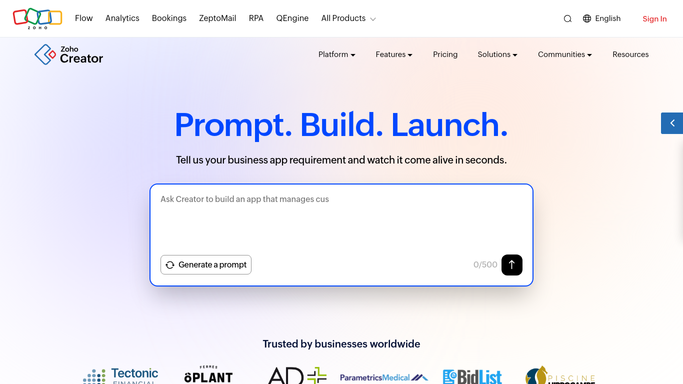
WebRun opens Zoho Creator to check the new record. - Open the application and the report holding the record just submitted
- Check every field you marked required and note any left empty
- Search the report for an existing record with the same key details and flag a likely duplicate
- Test values against the rules you set, such as dates in the future, negative quantities, or an email with no domain
Done when The new record has been checked for missing fields, duplicates, and impossible values.
-
2
Airtable - log the data problems
airtable.com

WebRun opens Airtable to log the data problems. - Open the data quality base in Airtable and add a row for each problem found
- Record the application, the form, the record reference, the field, and the reason it looks wrong
- Mark duplicates with a link to the record they clash with
- Leave the record itself untouched. WebRun never edits or deletes a submission
Done when Airtable holds a row for every problem found on this submission.
-
3
Slack - tell the app owner
slack.com

WebRun opens Slack to tell the app owner. - Post the problem to your app owner channel in Slack
- Lead with the form, the record, and the field at fault
- Say nothing when a submission passes every check, so the channel stays quiet
Done when The app owner has been told about any record that looks wrong.
How is each run configured?
Secure by default
Connect once, stays signed in
WebRun signs in once and keeps each session in a persistent environment, so every run picks up right where it left off.
Every action is checked against this policy before it runs.
Questions, answered
Will it edit or delete a bad record?
No. WebRun only reads the submitted record and reports what looks wrong. Correcting a field, merging a duplicate, or removing a record stays with the app owner in Zoho Creator.
Does it contact the person who submitted the form?
No. Nothing goes back to the submitter. The findings go to your internal Airtable base and your Slack channel only.
Which checks does it run?
Empty required fields, likely duplicates of existing records, and values that break the rules you set, such as future dates, negative quantities, or malformed email addresses.
Related templates
Put this on autopilot.
Turn it on in minutes - or have our team set it up for you.