Announce new yarn lines the day they hit the shelf
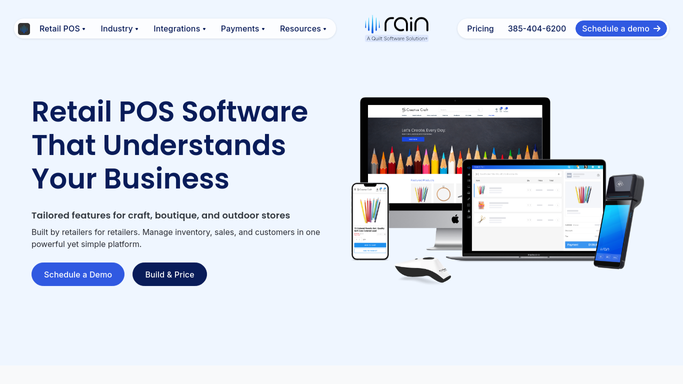
Every morning, WebRun opens Rain POS, finds new yarn lines added to inventory since yesterday, pulls the fiber content, weight, colorways, and product photos, drafts a customer announcement email in Mailchimp, and drafts a matching Facebook post, both left unpublished for your approval.
- No credit card
- Under $0.01 per run
- Cancel anytime
What does WebRun do on every run?
The exact actions WebRun takes, in order - in plain language, so you can adjust anything.
-
WebRun signs in and gets to work
Opens
rainpos.comin a real browser with your saved login - no setup, no API keys. -
1
Rain POS - find new yarn lines
rainpos.com How to Automate Rain POS

WebRun opens Rain POS to find new yarn lines. - Open Rain POS and go to inventory
- Find yarn lines added since the last run
- Capture the brand, fiber content, weight, colorways, price, and product photos for each
Done when Every newly stocked yarn line has its fiber content, colorways, and photos captured.
-
2
Mailchimp - draft the announcement email
mailchimp.com How to Automate Mailchimp
WebRun opens Mailchimp to draft the announcement email. - Draft a customer announcement email featuring the new line and photos
- Write an on-brand subject line and a link to shop the line
- Leave the email unsent in Mailchimp for you to review and send. WebRun never emails your list on its own
Done when A yarn line announcement email sits ready in Mailchimp, awaiting your approval.
-
3
Facebook - draft the social post
facebook.com How to Automate Facebook
WebRun opens Facebook to draft the social post. - Draft a matching post for your shop page with a product photo and short caption
- Keep the voice friendly and add the shop-now link
- Save it as an unpublished draft for your approval. WebRun never posts publicly on its own
Done when A matching Facebook post is drafted and waiting, unpublished, for your approval.


How do I announce new yarn lines to customers and social media?
WebRun checks Rain POS inventory every morning for yarn lines stocked since yesterday and pulls each fiber content, colorway, and product photo. It drafts a customer announcement email in Mailchimp and a matching Facebook post, both left unpublished, so you approve every word before a new yarn line is announced to shoppers.
- New yarn lines get promoted the day they arrive
- One inventory add fills both email and social drafts
- Nothing publishes until you approve the copy
Built for yarn shops · needlework stores · fiber retailers · shop marketers
How is each run configured?
Secure by default
Connect once, stays signed in
WebRun signs in once and keeps each session in a persistent environment, so every run picks up right where it left off.
Every action is checked against this policy before it runs.
Questions, answered
Will it post to Facebook or email my list on its own?
No. Both the email and the Facebook post are left as drafts. You review each, tweak the copy, and publish yourself, so nothing goes public without your approval.
Where does the yarn line info come from?
From Rain POS inventory. WebRun reads the brand, fiber content, weight, colorways, and product photos of anything added since the last run, so the announcement is accurate and current.
Can it match my shop voice?
Yes. Give WebRun a tone or a past announcement to mirror and it drafts the email and post in your voice, ready for you to fine-tune before publishing.
Related templates
Put this on autopilot.
Turn it on in minutes - or have our team set it up for you.