Collect the invoices buried in your mail into one filed set
Every Monday, WebRun opens Yandex Mail, searches last week's messages for invoice and receipt attachments, files each one under your accounts folder with a label, posts an index of sender, date, and amount to Microsoft Teams, and texts your bookkeeper the count through Twilio.
- No credit card
- Under $0.01 per run
- Cancel anytime
How do I collect invoice attachments from my email each week?
WebRun searches Yandex Mail every Monday for last week's invoice and receipt attachments, reads the sender, date, and amount from each, and files them into one labelled folder. It posts the index to Microsoft Teams and texts your bookkeeper the count, so nothing has to be hunted down at month end.
- Every invoice from the week lands in one labelled folder
- Sender, date, and amount are indexed without manual typing
- Nothing is deleted or replied to: WebRun files and reports only
Built for bookkeepers · small business owners · finance assistants · accountants
What does WebRun do on every run?
The exact actions WebRun takes, in order - in plain language, so you can adjust anything.
-
WebRun signs in and gets to work
Opens
mail.yandex.comin a real browser with your saved login - no setup, no API keys. -
1
Yandex Mail - find and file invoice attachments
yandex.com
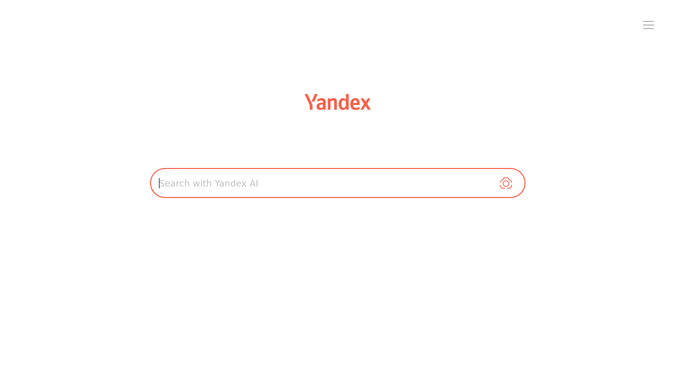
WebRun opens Yandex Mail to find and file invoice attachments. - Open Yandex Mail and search last week's messages for attachments
- Keep messages whose attachment or subject reads as an invoice, receipt, or bill
- Open each one and read the sender, the invoice date, and the amount
- Move the message into your accounts folder and apply your invoice label
- Skip anything already filed in a previous run
Done when Every invoice attachment from last week is filed and its details captured.
-
2
Microsoft Teams - post the week's index
microsoft.com How to Automate Microsoft Teams

WebRun opens Microsoft Teams to post the week's index. - Post the week's index to your finance channel in Microsoft Teams
- List one line per invoice: sender, date, amount, and the file name
- Flag any message that looked like an invoice but had no amount readable
- Give the running total for the week at the bottom
Done when The finance channel has last week's invoice index.
-
3
Twilio - text the bookkeeper the count
twilio.com How to Automate Twilio

WebRun opens Twilio to text the bookkeeper the count. - Send a short SMS through Twilio to your bookkeeper's saved number
- Say how many invoices were filed and the total value
- Send only to the internal numbers you configured. WebRun never texts a supplier
Done when Your bookkeeper knows this week's invoices are filed and ready.
How is each run configured?
Secure by default
Connect once, stays signed in
WebRun signs in once and keeps each session in a persistent environment, so every run picks up right where it left off.
Every action is checked against this policy before it runs.
Questions, answered
Will it reply to or delete any of my email?
No. WebRun reads messages, files them into a folder, and applies a label. It never replies to a sender, forwards a thread, or deletes anything from your mailbox.
How does it decide an attachment is an invoice?
It reads the subject, sender, and attachment name for invoice, receipt, and bill wording, then opens the file to confirm an amount and date are present before filing it.
Who gets the text message?
Only the internal numbers you save at setup, normally your bookkeeper or yourself. WebRun never texts a supplier or anyone who emailed you an invoice.
Related templates
Put this on autopilot.
Turn it on in minutes - or have our team set it up for you.