Automated Yahoo Mail Enquiry Routing
Every hour, WebRun opens Yahoo Mail Japan, reads the customer mail that arrived since the last run, summarises what each sender is asking for, logs it in Airtable, posts it to Slack with a suggested owner, and leaves a drafted reply in the mailbox for that person to approve.
How do I route shared inbox enquiries to the right person quickly?
WebRun checks Yahoo Mail Japan every hour, reads the customer mail that arrived since the last run, and summarises what each sender wants. It logs the enquiry in Airtable, posts it to Slack with a suggested owner, and saves a drafted reply in the mailbox, so nothing waits a day for someone to open the shared inbox.
- New enquiries reach a named owner within the hour
- Every enquiry has a drafted reply ready to approve
- The full enquiry history stays searchable in Airtable
Built for customer support teams · small business owners · sales desks · shared inbox owners
What does WebRun do on every run?
The exact actions WebRun takes, in order - in plain language, so you can adjust anything.
-
WebRun signs in and gets to work
Opens
mail.yahoo.co.jpin a real browser with your saved login - no setup, no API keys. -
1
Yahoo Mail Japan - read and draft replies to new mail
yahoo.co.jp
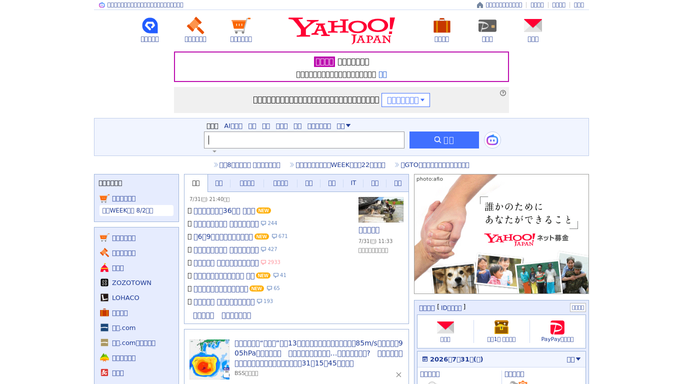
WebRun opens Yahoo Mail Japan to read and draft replies to new mail. - Open Yahoo Mail Japan and read the messages that arrived since the last run
- Summarise each one in a line: who wrote in, what they want, and how urgent it reads
- Write a reply for each enquiry and save it as a draft, then move the message to the folder for its topic
Done when Every new enquiry is summarised and has an unsent draft reply waiting.
-
2
Airtable - log each enquiry
airtable.com

WebRun opens Airtable to log each enquiry. - Add a row per enquiry with the sender, the topic, the arrival time, and any attachment names
- Match repeat senders to their existing row so the history stays together
- Mark rows closed once the thread has been answered
Done when Every enquiry from this hour is logged in Airtable.
-
3
Slack - hand it to the right owner
slack.com

WebRun opens Slack to hand it to the right owner. - Post each new enquiry to the shared channel with its summary and a suggested owner
- Say plainly that the reply is drafted but unsent and needs their approval
- Repeat anything still unanswered from the previous hours at the bottom
Done when Every new enquiry has been handed to a named person in Slack.
How is each run configured?
Secure by default
Connect once, stays signed in
WebRun signs in once and keeps each session in a persistent environment, so every run picks up right where it left off.
Every action is checked against this policy before it runs.
Questions, answered
Will it reply to customers without me?
No. Every reply is saved as an unsent draft in the mailbox and the Slack post says so. A person opens it, edits if needed, and presses send. Nothing reaches a customer unapproved.
How does it pick the owner?
From the routing rules you give it: topic keywords, the product mentioned, the language of the message, or the sender's domain. If no rule matches, it posts the enquiry as unassigned rather than guessing.
Does it touch newsletters and spam?
No. It reads only the mail matching the folders and sender rules you set for customer enquiries, and it leaves everything else in the inbox untouched.
Related templates
Put this on autopilot.
Turn it on in minutes - or have our team set it up for you.