Earn more reviews by reaching couples at the right moment
Every morning, WebRun checks Dubsado for weddings that took place three to five days ago, drafts a warm, personalised review request for each couple in Gmail, and posts a Slack alert so you can review and send while the experience is still fresh.
- No credit card
- Under $0.01 per run
- Cancel anytime
What does WebRun do on every run?
The exact actions WebRun takes, in order - in plain language, so you can adjust anything.
-
WebRun signs in and gets to work
Opens
app.dubsado.comin a real browser with your saved login - no setup, no API keys. -
1
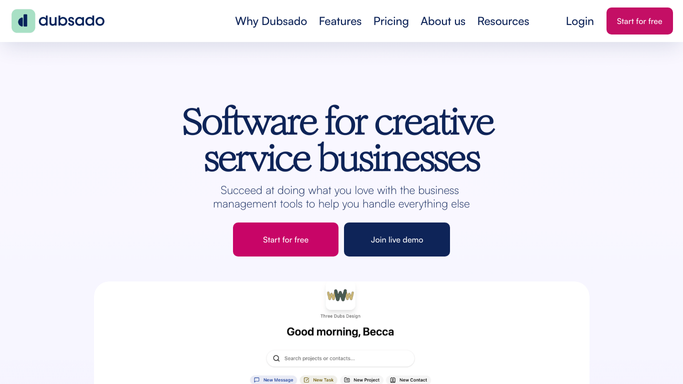
Dubsado - find recently completed weddings
dubsado.com

WebRun opens Dubsado to find recently completed weddings. - Open Dubsado and filter completed projects to weddings with an event date three to five days ago
- Capture the couple names, wedding date, and any personal details or highlights from their project notes
- Confirm no review request has already been sent to avoid duplicates
Done when Every recently completed wedding is identified and ready for a review request draft.
-
2
Gmail - draft a personalised review request
gmail.com How to Automate Gmail
WebRun opens Gmail to draft a personalised review request. - Draft a warm, personalised message for each couple using their names and a reference to their wedding day
- Ask them to share their experience on Google or your preferred review platform, and include the direct review link
- Optionally invite them to provide a private testimonial for your portfolio
- Save the email as a Gmail draft, never sending without your approval
Done when A ready-to-send review request draft is saved in Gmail for each recent wedding couple.
-
3
Slack - alert you to review and send
slack.com How to Automate Slack
WebRun opens Slack to alert you to review and send. - Post a Slack alert listing the couples ready for a review request, with their wedding date and a link to each Gmail draft
- Flag any couple whose window is closing (more than five days post-wedding) to prioritise
Done when Your team sees the review request queue in Slack and can send each draft in one click.


How do I automatically ask wedding couples for reviews after their wedding?
WebRun checks Dubsado every morning for weddings that took place three to five days ago, drafts a warm, personalised review and testimonial request in Gmail for each couple, and posts a Slack alert so you can review and send while the experience is still fresh. Reviews arrive at the moment couples are happiest, without any manual effort.
- Review requests reach couples within the optimal three-to-five day window
- Personalised messages citing real details get higher response rates than generic templates
- No recently married couple slips through without a review request
Built for wedding planners · event coordinators · bridal studios · wedding photographers
How is each run configured?
Secure by default
Connect once, stays signed in
WebRun signs in once and keeps each session in a persistent environment, so every run picks up right where it left off.
Every action is checked against this policy before it runs.
Questions, answered
Will it send review requests to couples without my approval?
No. Every request is saved as a Gmail draft and linked in Slack for your review. Nothing is sent until you click Send yourself.
Why three to five days after the wedding?
Couples are typically back from their immediate celebrations and still glowing about the experience. Messages sent in this window get the highest open and response rates.
Can I direct the review to a specific platform like Google or The Knot?
Yes. Tell WebRun which platform you prefer and provide the review link, and every draft will include a direct, clickable link to that page.
Related templates
Put this on autopilot.
Turn it on in minutes - or have our team set it up for you.