Route new vein consult referrals to the right clinician
Every morning, WebRun opens OmniMD, finds new vein consult referrals awaiting a first appointment, checks each for a completed insurance eligibility check and symptom intake, logs a triaged worklist to Google Sheets, and posts your front desk a Slack summary of who to book first.
- No credit card
- Under $0.01 per run
- Cancel anytime
What does WebRun do on every run?
The exact actions WebRun takes, in order - in plain language, so you can adjust anything.
-
WebRun signs in and gets to work
Opens
omnimd.comin a real browser with your saved login - no setup, no API keys. -
1
OmniMD - read new vein consult referrals
omnimd.com How to Automate OmniMD

WebRun opens OmniMD to read new vein consult referrals. - Open OmniMD and go to the referrals or scheduling queue
- Find new vein consult referrals that do not yet have a booked appointment
- For each, capture the patient initials, referral date, referring provider, and reason for referral such as varicose veins, leg swelling, or non healing ulcer
- Note whether insurance eligibility has been verified and whether the symptom intake form is complete
Done when Every unbooked vein referral is listed with its reason, referrer, and intake status.
-
2
Google Sheets - build the triaged intake worklist
google.com How to Automate Google Sheets
WebRun opens Google Sheets to build the triaged intake worklist. - Open the Vein Consult Intake worklist sheet
- Append each new referral as a row, skipping any already present
- Flag rows missing an eligibility check or a completed intake form
- Sort by referral date, oldest first, so aging referrals rise to the top
Done when The worklist is current, deduplicated, and sorted with intake gaps flagged.
-
3
Slack - post the front desk who to book first
slack.com How to Automate Slack
WebRun opens Slack to post the front desk who to book first. - Post a short digest to the front desk channel with the count of unbooked referrals
- List the oldest referrals first and call out which are missing eligibility or intake
- Leave the booking and any patient outreach to your staff. Never contact the patient directly
Done when The front desk has a Slack worklist naming who to book first and what is missing.
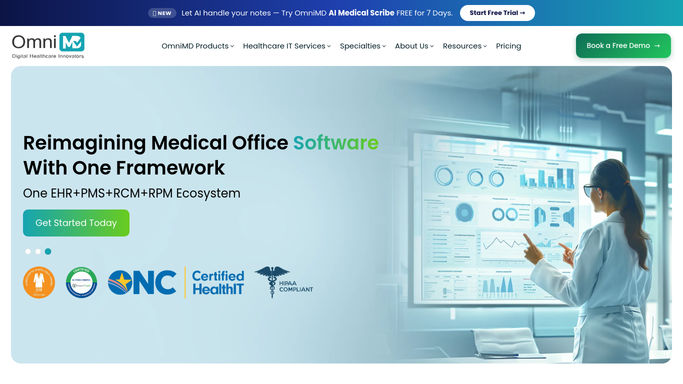


How do I automatically triage and route new vein consult referrals?
WebRun opens OmniMD every morning and finds new vein consult referrals with no appointment yet. It checks each for a completed eligibility check and symptom intake, logs a triaged worklist to Google Sheets, and posts your front desk a Slack summary of who to book first, so aging referrals never sit unnoticed.
- No new vein referral sits unbooked because the queue is triaged every morning
- Front desk sees which referrals are missing eligibility or intake within seconds
- Booked referrals drop off automatically from live OmniMD status
Built for vein clinics · vascular surgery practices · front desk staff · phlebology practices
How is each run configured?
Secure by default
Connect once, stays signed in
WebRun signs in once and keeps each session in a persistent environment, so every run picks up right where it left off.
Every action is checked against this policy before it runs.
Questions, answered
Will it contact or book patients on its own?
No. WebRun only builds an internal worklist and posts it to Slack for your front desk. It never calls, texts, emails, or books a patient itself, so no protected health information leaves your practice.
How does it decide which referrals come first?
It sorts by referral date, putting the oldest unbooked referrals at the top, and flags any that are still missing an insurance eligibility check or a completed symptom intake so those blockers get cleared first.
What if a referral was already booked?
It reads the live scheduling status in OmniMD each morning, so any referral that already has an appointment is dropped from the next worklist automatically.
Related templates
Put this on autopilot.
Turn it on in minutes - or have our team set it up for you.