Upsell party rooms and catering to party bookers
Every morning, WebRun opens Wakesys, finds parties booked in the next two weeks that have jump time but no party room or catering added, drafts a tailored upsell in Mailchimp offering the right package and headcount, holds the send for staff to approve, and posts a Slack list of the opportunities.
- No credit card
- Under $0.01 per run
- Cancel anytime
What does WebRun do on every run?
The exact actions WebRun takes, in order - in plain language, so you can adjust anything.
-
WebRun signs in and gets to work
Opens
www.wakesys.comin a real browser with your saved login - no setup, no API keys. -
1
Wakesys - find parties missing room or catering
wakesys.com How to Automate Wakesys

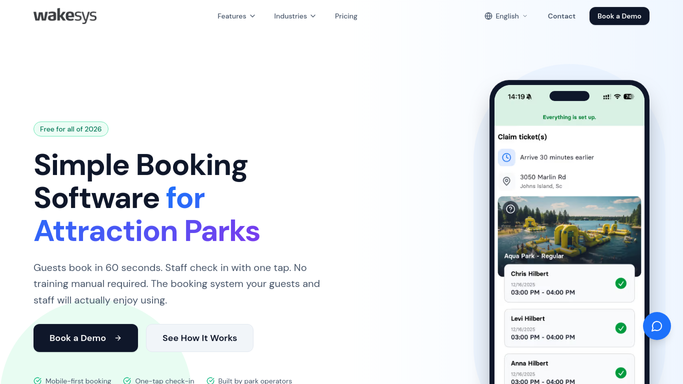
WebRun opens Wakesys to find parties with no room or catering added. - Open Wakesys and list parties booked in the next two weeks
- Check each party for a party room booking and any catering or food package on the order
- Capture the host, date, headcount, and exactly which add-ons are missing
Done when Every upcoming party is listed with the room and catering add-ons it still lacks.
-
2
Mailchimp - draft the tailored upsell
mailchimp.com How to Automate Mailchimp
WebRun drafts the room and catering upsell in Mailchimp, held for approval. - Build a tailored upsell in Mailchimp for each host offering the missing room or catering package
- Match the package tier and headcount to the party size, with a clear add-to-booking call to action
- Leave the campaign as a draft, held for staff to approve before it sends
Done when A ready-to-approve upsell is drafted in Mailchimp for each party missing add-ons.
-
3
Slack - list the upsell opportunities
slack.com How to Automate Slack
WebRun posts the party upsell opportunities to the events Slack. - Post a Slack list of the upsell opportunities to the events channel, ordered by party date
- Show the headcount and which add-on is being offered so staff can prioritise the biggest parties
Done when The events team has a Slack list of the queued upsell opportunities.


How do I upsell party rooms and catering to trampoline park bookers?
WebRun opens Wakesys each morning, finds parties in the next two weeks with jump time but no room or catering, and drafts a tailored upsell in Mailchimp matched to the headcount. The send is held for staff to approve, and Slack lists the opportunities by date, so bookers get the right add-on offer without any message going out unreviewed.
- Bare party bookings become room and catering revenue
- Offers are matched to headcount, not generic blasts
- Parties that already added the package are never re-offered
Built for trampoline parks · jump parks · family entertainment centers · party sales teams
How is each run configured?
Secure by default
Connect once, stays signed in
WebRun signs in once and keeps each session in a persistent environment, so every run picks up right where it left off.
Every action is checked against this policy before it runs.
Questions, answered
Will it email party hosts an offer without my approval?
No. Every upsell is drafted and left paused in Mailchimp. Staff approve it before it sends, so no host receives an offer that has not been reviewed.
How does it pick the right package?
It reads each party's headcount and current add-ons in Wakesys, then matches the room or catering tier to the party size, so the offer fits rather than overselling.
What if a host already added a room or catering?
It reads the live order in Wakesys each morning, so any party that already has the add-on is left out and never receives a duplicate offer.
Related templates
Put this on autopilot.
Turn it on in minutes - or have our team set it up for you.