Convert trial clients into paying members
Every morning, WebRun opens TrueCoach, finds trial clients whose free period ended in the last 24 to 48 hours, checks whether they have a paid subscription in Stripe, and drafts a personalised conversion follow-up in Gmail for those who have not yet converted, held for your review before sending.
- No credit card
- Under $0.01 per run
- Cancel anytime
What does WebRun do on every run?
The exact actions WebRun takes, in order - in plain language, so you can adjust anything.
-
WebRun signs in and gets to work
Opens
app.truecoach.coin a real browser with your saved login - no setup, no API keys. -
1
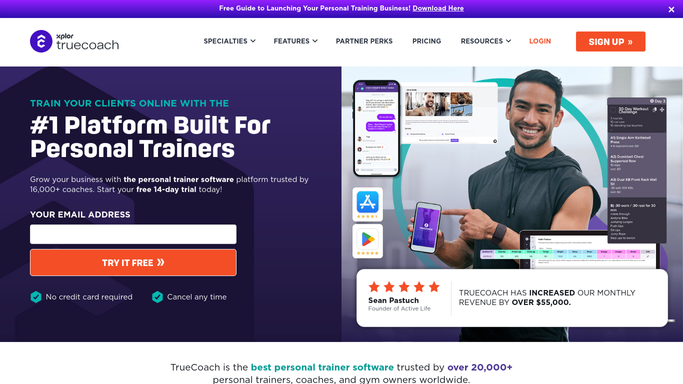
TrueCoach - find trial clients ending soon
truecoach.co How to Automate TrueCoach

WebRun opens TrueCoach to find trial clients ending soon. - Open TrueCoach and navigate to the client list
- Find clients whose trial or free program phase ended in the past 24 to 48 hours
- Note each client's name, trial program, completion date, and any feedback or notes logged
Done when Every recently completed trial client is identified with their program context.
-
2
Stripe - check paid subscription status
stripe.com How to Automate Stripe
WebRun opens Stripe to check paid subscription status. - Look up each trial client in Stripe to check whether a paid subscription already exists
- Flag clients who have not yet converted as needing a follow-up
- Note the membership tier the trainer recommends for each client based on their trial goals
Done when Each trial client is checked against Stripe and those still unconverted are flagged.
-
3
Gmail - draft conversion follow-ups for review
gmail.com How to Automate Gmail
WebRun opens Gmail to draft conversion follow-ups for review. - Draft a personalised conversion email for each unconverted trial client
- Reference their specific trial experience, progress made, and the recommended next program
- Include a clear, friendly call to action with details on how to sign up
- Save every draft unsent for the trainer to review before sending
Done when Conversion follow-up drafts are saved in Gmail, unsent, ready for trainer review.


How do I automatically follow up with trial clients to convert them to paid memberships?
WebRun opens TrueCoach each morning, finds trial clients whose free period just ended, and checks Stripe to skip anyone who already converted. For those still unconverted, it drafts a personalised follow-up in Gmail referencing their trial experience, held for trainer approval before any message is sent.
- Trial clients receive a personalised follow-up while the experience is still fresh
- Already-converted clients are never contacted with a duplicate pitch
- Trainers convert more trials without remembering to follow up manually
Built for personal trainers · online fitness coaches · gym owners · fitness studios offering free trials
How is each run configured?
Secure by default
Connect once, stays signed in
WebRun signs in once and keeps each session in a persistent environment, so every run picks up right where it left off.
Every action is checked against this policy before it runs.
Questions, answered
Will it email trial clients without my approval?
No. Every conversion follow-up is saved as a Gmail draft and held for your review. Nothing is sent to a prospect until you approve it.
Will it contact clients who already signed up?
No. WebRun checks Stripe for an active paid subscription before drafting any follow-up, so existing members are skipped automatically.
What if a trial client finished their session days ago?
WebRun looks back 48 hours to catch trials that ended over the weekend or on a day you did not run it. Clients further back than that are handled by the lapsed client winback workflow.
Related templates
Put this on autopilot.
Turn it on in minutes - or have our team set it up for you.