Automated Temu Price Drop Tracking
Every hour, WebRun opens Temu, checks your tracked list of products for a price drop or a change in stock, logs each change to Airtable with the old and new price, and updates the matching Notion catalog page so your buying team always sees the current price without checking the site themselves.
How do I get alerted when a tracked Temu product drops in price?
WebRun checks your tracked list of Temu products every hour for a price drop, logs each change to Airtable with the old and new price, and updates the matching Notion catalog page so it's always current. Your buying team works off one catalog instead of refreshing product pages to catch a drop.
- Price drops are logged within the hour they happen
- Buying teams work off one Notion catalog instead of scattered tabs
- A full price change history builds automatically in Airtable
Built for online resellers · dropshipping businesses · deal aggregator sites · small ecommerce buying teams
What does WebRun do on every run?
The exact actions WebRun takes, in order - in plain language, so you can adjust anything.
-
WebRun signs in and gets to work
Opens
temu.comin a real browser with your saved login - no setup, no API keys. -
1
Temu - check tracked products for price changes
temu.com
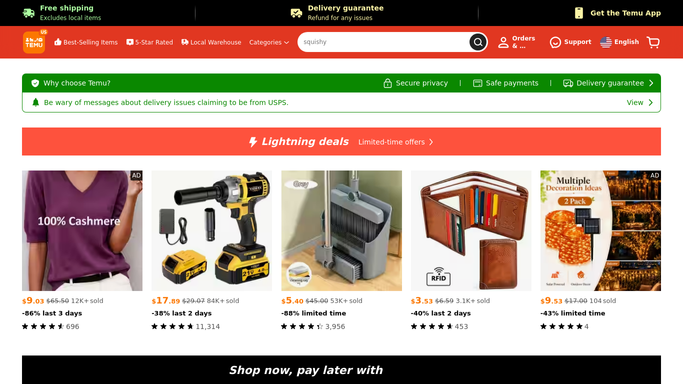
WebRun opens Temu to check tracked products for price changes. - Open Temu and check each product on your tracked list
- Note the current price and stock status
- Compare against the last recorded price
Done when Every tracked product has a current price reading.
-
2
Airtable - log the price change
airtable.com

WebRun opens Airtable to log the price change. - Add a row for any product whose price dropped since the last check
- Record the old price, new price, and percent change
- Flag the row for the buying team to review
Done when Every price drop this run has an Airtable row.
-
3
Notion - update the product catalog
notion.so

WebRun opens Notion to update the product catalog. - Update the matching catalog page with the current price
- Note the date of the last price check
- Keep the catalog page as the single source for the current price
Done when Every tracked product's Notion catalog page shows the current price.
How is each run configured?
Secure by default
Connect once, stays signed in
WebRun signs in once and keeps each session in a persistent environment, so every run picks up right where it left off.
Every action is checked against this policy before it runs.
Questions, answered
Will it buy anything automatically?
No. WebRun only logs price drops. Placing an order is a decision your buying team makes themselves.
How do I choose which products it tracks?
You give it the list of product pages to watch. It only checks those, so it never wastes a run guessing what matters to you.
Does it flag a price increase too?
It logs any price change, but only price drops are flagged for the buying team's attention, since those are the ones worth acting on quickly.
Related templates
Put this on autopilot.
Turn it on in minutes - or have our team set it up for you.