Chase the refunds you are still owed
Every morning, WebRun signs in to Temu, reads the returns you have filed and the refund status against each order, works out how many days each has been open, opens a Trello card for anything not yet credited, and keeps a dated record of the whole list in Google Drive.
- No credit card
- Under $0.01 per run
- Cancel anytime
How do I keep track of Temu refunds that have not arrived yet?
Every morning WebRun signs in to Temu, reads every return you filed and the refund status against each one, and works out how long each has been open. It opens a Trello card for the refunds still not credited and keeps a dated record in Google Drive, so nothing owed gets dropped.
- Uncredited refunds are visible daily with an age in days
- The total money still owed is stated, not guessed
- Follow-up messages are written but never sent without you
Built for online resellers · small retailers · procurement buyers · household budget keepers
What does WebRun do on every run?
The exact actions WebRun takes, in order - in plain language, so you can adjust anything.
-
WebRun signs in and gets to work
Opens
temu.comin a real browser with your saved login - no setup, no API keys. -
1
Temu - read returns and refund status
temu.com
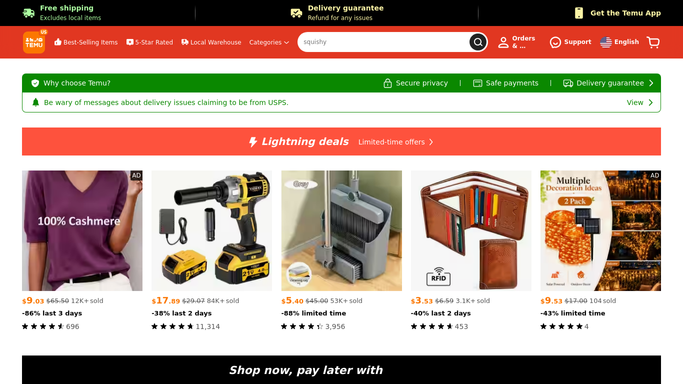
WebRun opens Temu to read returns and refund status. - Sign in to Temu and open your orders, filtering to those with a return or refund raised
- Capture the order number, the item, the amount, and the current refund status
- Work out how many days each return has been open since it was filed
- Draft the follow-up message for anything past your patience threshold and leave it unsent
Done when Every open return has a status, an amount, and an age in days.
-
2
Trello - card each refund still owed
trello.com How to Automate Trello

WebRun opens Trello to card each refund still owed. - Open a Trello card for each refund that has not been credited yet
- Put the item, the amount, and the days open in the card title
- Move cards to a chase list once they pass the age you set
- Archive the card when the refund shows as credited on a later run
Done when Every uncredited refund has a card showing its amount and age.
-
3
Google Drive - keep the dated record
drive.google.com How to Automate Google Drive

WebRun opens Google Drive to keep the dated record. - Save a dated record of all open returns into your Google Drive folder
- Give it one row per return with the order, item, amount, status, and days open
- Add a totals line for the money still outstanding
- Keep the previous days so you can show how long a refund has been pending
Done when A dated refund record sits in Google Drive with the total still owed.
How is each run configured?
Secure by default
Connect once, stays signed in
WebRun signs in once and keeps each session in a persistent environment, so every run picks up right where it left off.
Every action is checked against this policy before it runs.
Questions, answered
Will it message Temu support or open a dispute for me?
No. WebRun writes the follow-up message and leaves it unsent. Contacting support or escalating a case stays your decision and your click.
Can it buy anything or change my order?
No. WebRun only reads your order and return history. It never places an order, cancels one, or touches a saved payment method.
How long before a refund is flagged as slow?
You set the threshold, commonly seven or ten days from the return being accepted. WebRun ages every open return against it and moves the card to the chase list.
Related templates
Put this on autopilot.
Turn it on in minutes - or have our team set it up for you.