Kick off new tax resolution client onboarding automatically
When a new resolution case is opened in Canopy, WebRun builds the intake document checklist in the case record, drafts a personalized welcome email for the client explaining the next steps, and creates a kickoff call event in Google Calendar for the assigned case manager to confirm and send.
- No credit card
- Under $0.01 per run
- Cancel anytime
What does WebRun do on every run?
The exact actions WebRun takes, in order - in plain language, so you can adjust anything.
-
WebRun signs in and gets to work
Opens
app.canopytax.comin a real browser with your saved login - no setup, no API keys. -
1
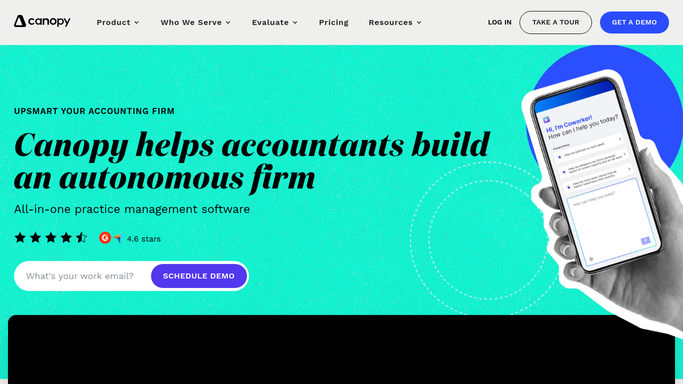
Canopy - build intake checklist for new case
getcanopy.com How to Automate Canopy

WebRun opens Canopy to build intake checklist for new case. - Detect the new resolution case opened in Canopy and read the case type, client name, and assigned case manager
- Create a document intake checklist in the case record based on the resolution type: for installment agreements add financial statements and pay stubs; for offers-in-compromise add Form 433-A and asset documentation; for penalty abatement add reasonable-cause documentation
- Add a workflow task in Canopy for the case manager to review the checklist
Done when The new case has a complete intake checklist and an assigned workflow task.
-
2
Gmail - draft welcome email for client review
gmail.com How to Automate Gmail
WebRun opens Gmail to draft welcome email for client review. - Draft a welcome email to the client explaining that their case has been opened and what to expect
- Include a summary of the documents listed in the intake checklist and how to upload them via the Canopy client portal
- Save the email as a draft addressed to the client's email on record in Canopy
- Do not send the email - leave it for the case manager to personalize and send
Done when A personalized welcome email draft is ready in Gmail for manager review. No email has been sent.
-
3
Google Calendar - create kickoff call event
calendar.google.com How to Automate Google Calendar
WebRun opens Google Calendar to create kickoff call event. - Create a kickoff call event in Google Calendar assigned to the case manager
- Set the event title to 'Kickoff call: [Client Name] - Tax Resolution'
- Set the proposed time to 3 business days from today and leave the invite unsent so the manager can confirm and add the client
- Add a note in the event with the case type and the checklist items to discuss
Done when A kickoff call placeholder is on the case manager's calendar with case details in the notes.


How do I automatically onboard new tax resolution clients when I open a case in Canopy?
When a new resolution case is opened in Canopy, WebRun builds the appropriate intake document checklist in the case record, drafts a personalized welcome email for the client, and creates a kickoff call placeholder in Google Calendar. The case manager reviews and sends both the email and the calendar invite, so every new client gets a consistent, professional start.
- New case intake checklist ready in Canopy within minutes of case creation
- Welcome email drafted and held for manager review before any client contact
- Kickoff call pre-scheduled so no new client waits days for a first touch
Built for tax resolution firms · enrolled agents · CPA firms · tax case managers
How is each run configured?
Secure by default
Connect once, stays signed in
WebRun signs in once and keeps each session in a persistent environment, so every run picks up right where it left off.
Every action is checked against this policy before it runs.
Questions, answered
Will it send the welcome email to the client on its own?
No. The welcome email is saved as a Gmail draft for the case manager to personalize and send. Nothing goes to the client until a human reviews and approves it.
Does the checklist adapt to the type of resolution case?
Yes. WebRun creates different intake checklists for installment agreements, offers-in-compromise, penalty abatement, and other case types based on what Canopy records as the resolution type.
What if the client already has a Canopy portal account?
WebRun checks the client record in Canopy first. If a portal account exists, the welcome email draft references uploading documents to their existing portal rather than setting up a new one.
Related templates
Put this on autopilot.
Turn it on in minutes - or have our team set it up for you.