Keep every compliance deadline on your radar before it hits
Every Monday, WebRun opens Canopy and reads compliance deadlines across all active cases: IRS response windows, installment agreement review dates, currently-non-collectible renewal dates, and OIC appeal windows. It cross-checks Google Calendar for existing deadline events, adds any that are missing, and posts a 30-day countdown to Slack.
- No credit card
- Under $0.01 per run
- Cancel anytime
What does WebRun do on every run?
The exact actions WebRun takes, in order - in plain language, so you can adjust anything.
-
WebRun signs in and gets to work
Opens
app.canopytax.comin a real browser with your saved login - no setup, no API keys. -
1
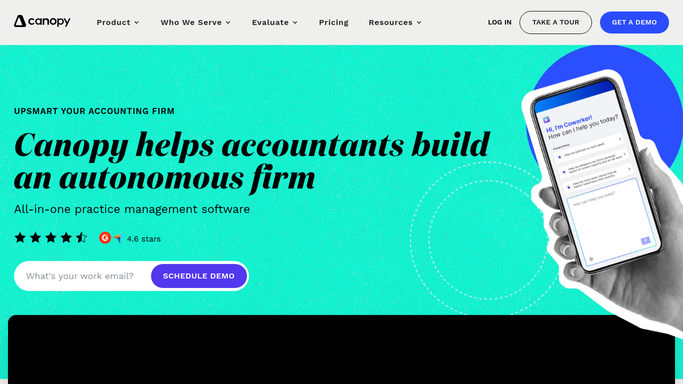
Canopy - read compliance deadlines across all active cases
getcanopy.com How to Automate Canopy

WebRun opens Canopy to read compliance deadlines across all active cases. - Open Canopy and review all active resolution cases
- For each case, extract: IRS notice response deadlines, installment agreement annual review dates, currently-non-collectible renewal windows, OIC appeal or rejection response deadlines, and penalty abatement submission windows
- List each deadline with client name, case type, deadline type, and the date it falls due
- Flag anything due within 14 days as urgent and within 30 days as upcoming
Done when All compliance deadlines within the next 30 days are listed with urgency flags.
-
2
Google Calendar - add any missing deadline events
calendar.google.com How to Automate Google Calendar
WebRun opens Google Calendar to add any missing deadline events. - Check the firm's shared Google Calendar for existing deadline events in the next 30 days
- For each Canopy deadline that does not already have a matching calendar event, create a new event with the client name, deadline type, and a reminder 3 days before
- Assign the event to the case manager listed in Canopy for that case
Done when Every compliance deadline in the next 30 days has a matching Google Calendar event.
-
3
Slack - post 30-day deadline countdown
slack.com How to Automate Slack
WebRun opens Slack to post 30-day deadline countdown. - Post the 30-day compliance countdown to the team's Slack channel
- Lead with urgent items (under 14 days) with client name, deadline type, and date
- Follow with upcoming items (14 to 30 days) in date order
- Note how many new calendar events were added this run
Done when The team has the full 30-day compliance countdown in Slack with urgent items at the top.


How do I automatically track all upcoming compliance deadlines across my tax resolution cases?
Every Monday, WebRun scans all active Canopy cases for IRS response windows, installment review dates, CNC renewal windows, and OIC appeal deadlines in the next 30 days. It adds any missing events to Google Calendar and posts a priority-ranked countdown to Slack so the whole team knows what is coming before the week begins.
- Every compliance deadline visible in Slack before Monday case meetings
- Missing Google Calendar events filled automatically each week
- Urgent deadlines under 14 days flagged and surfaced first
Built for tax resolution firms · enrolled agents · CPA firms · tax case managers
How is each run configured?
Secure by default
Connect once, stays signed in
WebRun signs in once and keeps each session in a persistent environment, so every run picks up right where it left off.
Every action is checked against this policy before it runs.
Questions, answered
Will it file any IRS forms or respond to notices automatically?
No. WebRun only tracks and surfaces deadlines. All IRS responses, form filings, and client communications are completed by your staff.
What if a deadline is already in Google Calendar?
It checks for existing calendar events before adding new ones, so it will not create duplicate entries. Only deadlines without a matching event are added.
How accurate are the deadlines it extracts from Canopy?
Accuracy depends on your team keeping notice dates and case milestones current in Canopy. WebRun reads whatever is recorded in the case record at the time of the run.
Related templates
Put this on autopilot.
Turn it on in minutes - or have our team set it up for you.