Track returns in progress
Every morning, WebRun opens Canopy and reads the current status of every open return across your firm, groups them by stage (in prep, in review, pending e-file, and complete), and posts a concise digest to Slack so every team member knows the workload at a glance before the day starts.
- No credit card
- Under $0.01 per run
- Cancel anytime
What does WebRun do on every run?
The exact actions WebRun takes, in order - in plain language, so you can adjust anything.
-
WebRun signs in and gets to work
Opens
app.getcanopy.comin a real browser with your saved login - no setup, no API keys. -
1
Canopy - read the status of all open returns
getcanopy.com How to Automate Canopy

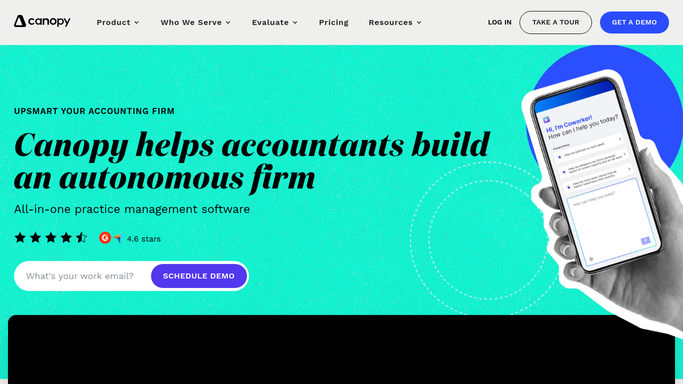
WebRun opens Canopy to read the status of all open returns. - Open Canopy and navigate to the Work or Returns section
- Read the status of every open return: in prep, in review, pending e-file, filed, and on extension
- Count returns in each stage and note any returns that have not moved status in more than three days
- Flag returns that are due within the next five days and have not yet reached e-file status
Done when All open return statuses and counts are captured, with stalled and urgent returns flagged.
-
2
Slack - post the daily status digest
slack.com How to Automate Slack
WebRun opens Slack to post the daily status digest. - Post the daily digest to the team Slack channel
- Organize by stage: show counts and any flagged stalled or urgent returns
- Include a note for each preparer with their own returns that need attention today
Done when The team has a Slack digest with the current return status breakdown and any action items for today.

How do I get a daily status digest of tax returns in progress from Canopy?
WebRun opens Canopy every morning and reads the status of every open return across your firm, grouping them by stage from in-prep through pending e-file. It posts a concise digest to Slack so your team starts each day knowing the workload, which returns are stalled, and what needs to move today.
- The team starts every morning with a clear breakdown of returns by stage
- Stalled returns are flagged before they become deadline risks
- Managers get a firm-wide workload view without manually querying Canopy
Built for CPA firms · tax preparers · tax firm managers · Canopy users
How is each run configured?
Secure by default
Connect once, stays signed in
WebRun signs in once and keeps each session in a persistent environment, so every run picks up right where it left off.
Every action is checked against this policy before it runs.
Questions, answered
Does it send anything to clients?
No. The daily status digest is an internal Slack post for your team only. No client is contacted or notified at any point during this workflow.
Can it route digest sections to individual preparers?
Yes. You can configure the workflow to also send each preparer a personal Slack message with only their own returns, in addition to the shared team digest posted to the main channel.
How does it define a stalled return?
A return is flagged as stalled when its status in Canopy has not changed for more than three days. You can adjust that threshold to match your firm's expected turnaround time for each stage.
Related templates
Put this on autopilot.
Turn it on in minutes - or have our team set it up for you.