Get a daily digest of your TaskRabbit bookings
Every morning, WebRun opens TaskRabbit, finds new and upcoming task bookings across your properties or locations, posts a digest to Microsoft Teams listing today's tasks and who is assigned, and creates a Trello card for each booking to track through completion.
- No credit card
- Under $0.01 per run
- Cancel anytime
What does WebRun do on every run?
The exact actions WebRun takes, in order - in plain language, so you can adjust anything.
-
WebRun signs in and gets to work
Opens
www.taskrabbit.comin a real browser with your saved login - no setup, no API keys. -
1
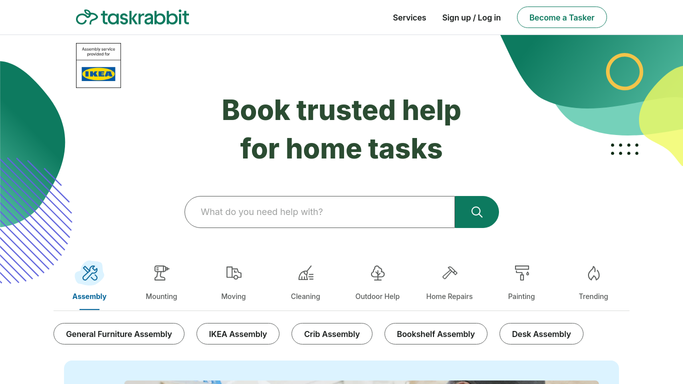
TaskRabbit - find new and upcoming bookings
taskrabbit.com

WebRun opens TaskRabbit to find new and upcoming bookings. - Open TaskRabbit and list new and upcoming task bookings
- Read the task type, Tasker, and scheduled time for each
- Note bookings scheduled for today
Done when Every new and upcoming booking has been captured.
-
2
Microsoft Teams - post the daily digest
microsoft.com How to Automate Microsoft Teams
WebRun posts in Microsoft Teams the daily digest. - Post a digest of today's bookings and this week's upcoming ones
- Note the Tasker and scheduled time for each
Done when Your team has today's booking digest in Teams.
-
3
Trello - track each booking
trello.com How to Automate Trello
WebRun updates Trello to track each booking. - Create a Trello card for each booking with its task type and Tasker
- Move completed bookings to a Done list
Done when Every booking has a current Trello card.


How do I keep track of multiple TaskRabbit bookings in one place?
WebRun checks TaskRabbit every morning for new and upcoming task bookings. It posts a digest to Microsoft Teams naming today's tasks and their assigned Tasker, then creates a Trello card for each booking to track through completion, so a facilities or property team always knows what is scheduled without checking TaskRabbit directly.
- Today's bookings reach the team before the day starts
- Every booking stays tracked from open to done
- No scheduled task gets forgotten
Built for property managers · facilities teams · office managers · small business owners
How is each run configured?
Secure by default
Connect once, stays signed in
WebRun signs in once and keeps each session in a persistent environment, so every run picks up right where it left off.
Every action is checked against this policy before it runs.
Questions, answered
Does it message the Tasker directly?
No. WebRun only reads and organizes bookings. Any message to a Tasker is still sent by your team from TaskRabbit.
How do I see which bookings are still open?
Every booking gets a Trello card that moves to Done once completed, so open bookings are easy to spot at a glance.
What if a booking gets rescheduled?
WebRun reads live booking status each morning, so a rescheduled task shows its current time in the next digest.
Related templates
Put this on autopilot.
Turn it on in minutes - or have our team set it up for you.