Track every Taobao sourcing order without losing an invoice
Every day, WebRun opens your Taobao purchase orders, checks each one for a status change since the last run, saves the order invoice to a Google Drive sourcing folder, and sends a Twilio text to the purchasing manager the moment an order ships so nothing needs checking by hand.
- No credit card
- Under $0.01 per run
- Cancel anytime
What does WebRun do on every run?
The exact actions WebRun takes, in order - in plain language, so you can adjust anything.
-
WebRun signs in and gets to work
Opens
taobao.comin a real browser with your saved login - no setup, no API keys. -
1
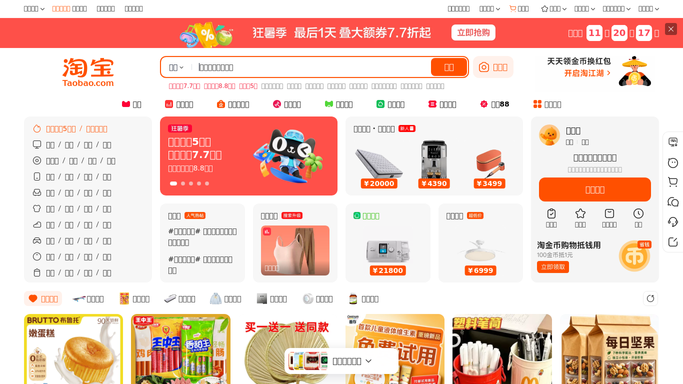
Taobao - check sourcing orders for status changes
taobao.com

WebRun opens Taobao to check sourcing orders for status changes. - Open your Taobao purchase order list and check status on every open order
- Note any order that moved to shipped, or is delayed past its promised date
- Record the order number and supplier for each
Done when Every open order's current status is known.
-
2
Google Drive - file each invoice
drive.google.com How to Automate Google Drive
WebRun opens Google Drive to file each invoice. - Save or update the invoice for each order in the sourcing folder
- Name the file with the supplier and order number
- Move the file to a Shipped subfolder once the order ships
Done when Every open order has a current invoice filed in Drive.
-
3
Twilio - text on shipment
twilio.com How to Automate Twilio
WebRun opens Twilio to text on shipment. - Send a text to the purchasing manager for each order that just shipped
- Name the supplier, order number, and tracking status
- Send nothing for orders with no change since the last run
Done when The purchasing manager has been texted about every order that shipped today.


How do I track Taobao sourcing orders and invoices in one place?
WebRun checks your Taobao purchase orders every day for a status change, files the invoice for each order in a Google Drive sourcing folder, and sends a Twilio text to the purchasing manager the moment an order ships. Nothing needs checking by hand, and the invoice trail stays organized by supplier automatically.
- Every invoice is filed by supplier without manual saving
- Shipping updates reach the purchasing manager the same day they happen
- Order status is tracked without logging into Taobao repeatedly
Built for sourcing agents · import businesses · dropshipping operators · procurement teams buying from China
How is each run configured?
Secure by default
Connect once, stays signed in
WebRun signs in once and keeps each session in a persistent environment, so every run picks up right where it left off.
Every action is checked against this policy before it runs.
Questions, answered
Will it message the Taobao supplier for me?
No. WebRun only tracks order status and files invoices. Messaging a supplier is still done by your purchasing team.
Do I get texted about every order every day?
No. You're only texted the day an order's status changes to shipped. Orders sitting unchanged don't generate a text.
Where do the invoices end up?
Each one is filed in a Google Drive sourcing folder by supplier and order number, moved to a Shipped subfolder once it's on its way.
Related templates
Put this on autopilot.
Turn it on in minutes - or have our team set it up for you.