Track detergent and chemical use by wash type without a clipboard
Every morning, WebRun opens TankSoft Pro, reads the detergents, caustics, and sanitizers logged against the prior day's washes, rolls up usage by wash type and by chemical in an Airtable base, and posts a Slack summary that highlights the heaviest-use wash types and any chemical running toward reorder.
- No credit card
- Under $0.01 per run
- Cancel anytime
What does WebRun do on every run?
The exact actions WebRun takes, in order - in plain language, so you can adjust anything.
-
WebRun signs in and gets to work
Opens
tanksoftpro.comin a real browser with your saved login - no setup, no API keys. -
1
TankSoft Pro - read chemicals logged against washes
tanksoftpro.com How to Automate TankSoft Pro

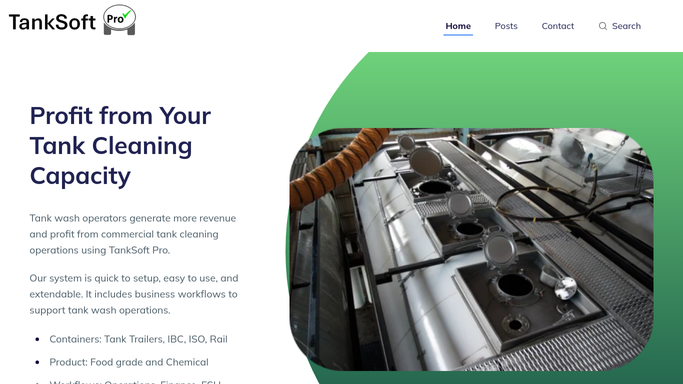
WebRun opens TankSoft Pro to read chemicals logged against washes. - Open TankSoft Pro and pull the prior day's washes with the detergents and chemicals logged on each
- Capture the chemical, quantity used, wash type, and bay for every ticket
- Note the equipment class so usage can be split across tanker, IBC, ISO, and rail
Done when Yesterday's chemical use is captured per wash with quantity and wash type.
-
2
Airtable - roll up usage per wash type
airtable.com How to Automate Airtable
WebRun opens Airtable to roll up usage per wash type. - Append yesterday's usage to the chemical tracker base in Airtable, one record per chemical per wash type
- Roll up totals per wash type and per chemical, and update the running on-hand estimate
- Compare each chemical's on-hand estimate against its reorder point
Done when The base shows updated usage per wash type and on-hand estimates.
-
3
Slack - summarize heavy use and low stock
slack.com How to Automate Slack
WebRun opens Slack to summarize heavy use and low stock. - Post a Slack summary of the highest-use wash types and chemicals from yesterday
- Flag any chemical whose on-hand estimate has dropped below its reorder point
- Note any wash type whose per-wash chemical use looks unusually high for review
Done when The team sees yesterday's chemical use and any reorder flags in Slack.


How do I track detergent and chemical usage per tank wash type?
Every morning WebRun opens TankSoft Pro and reads the detergents, caustics, and sanitizers logged against the prior day's washes. It rolls up usage by wash type and chemical in an Airtable base, updates on-hand estimates, and posts a Slack summary flagging heavy-use wash types and any chemical below its reorder point, so chemical cost and stock stay visible without a clipboard.
- Chemical use per wash type is tracked without manual tallies
- Chemicals below their reorder point are flagged each morning
- No chemical is ordered without a human decision
Built for wash-bay managers · tank wash operators · procurement staff · operations supervisors
How is each run configured?
Secure by default
Connect once, stays signed in
WebRun signs in once and keeps each session in a persistent environment, so every run picks up right where it left off.
Every action is checked against this policy before it runs.
Questions, answered
Does it order chemicals on its own?
No. It tracks usage and flags anything below its reorder point in Slack, but it never places an order. Restocking stays a human decision, so nothing is purchased automatically.
How does it know how much chemical each wash used?
It reads the detergents and chemicals already logged against each wash ticket in TankSoft Pro, so the tracker reflects what your operators actually recorded per wash.
Can it show usage by equipment type?
Yes. It splits usage across tanker, IBC, ISO, and rail using the equipment class on each ticket, so you can compare chemical cost per wash type.
Related templates
Put this on autopilot.
Turn it on in minutes - or have our team set it up for you.