Keep a clean wastewater discharge log for your ESH record
Every hour, WebRun opens TankSoft Pro, reads the latest wastewater discharge readings such as pH, temperature, and flow logged against the bays, appends each to your ESH discharge register in Google Sheets with the timestamp and bay, and alerts Slack when a reading sits outside a permit limit.
- No credit card
- Under $0.01 per run
- Cancel anytime
What does WebRun do on every run?
The exact actions WebRun takes, in order - in plain language, so you can adjust anything.
-
WebRun signs in and gets to work
Opens
tanksoftpro.comin a real browser with your saved login - no setup, no API keys. -
1
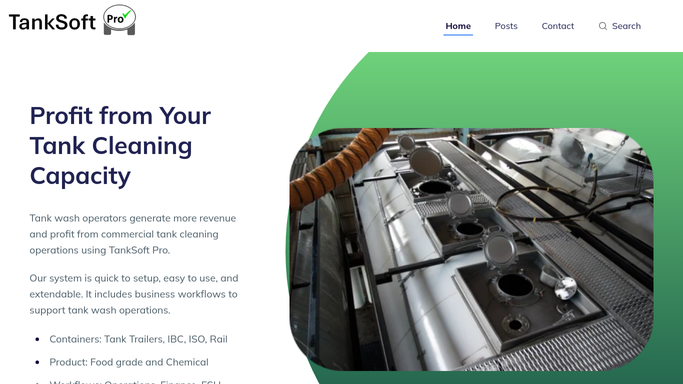
TankSoft Pro - read the latest discharge readings
tanksoftpro.com How to Automate TankSoft Pro

WebRun opens TankSoft Pro to read the latest discharge readings. - Open TankSoft Pro and read wastewater discharge readings recorded since the last run
- Capture pH, temperature, flow, and any parameter logged against each bay or discharge point
- Note the bay, operator, and time recorded for each reading
Done when Every new discharge reading is captured with its bay and timestamp.
-
2
Google Sheets - log each reading to the ESH register
google.com How to Automate Google Sheets
WebRun opens Google Sheets to log each reading to the ESH register. - Append each reading to the ESH discharge register in Google Sheets with the bay, parameter, value, and timestamp
- Compare each value against the permit limit stored on the register
- Skip readings already logged so the register holds one row per reading
Done when Each discharge reading has one row in the ESH register with its limit checked.
-
3
Slack - alert on any permit-limit breach
slack.com How to Automate Slack
WebRun opens Slack to alert on any permit-limit breach. - Post an alert to the ESH channel for any reading outside its permit limit, naming the bay and value
- Note the parameter, the limit, and how far the reading is over so it can be acted on
- Stay silent when every reading is within limits to avoid noise
Done when The ESH team is alerted to any out-of-limit reading in Slack.


How do I keep a wastewater discharge log for my ESH record automatically?
Every hour WebRun opens TankSoft Pro and reads the latest wastewater discharge readings, pH, temperature, and flow, logged against each bay. It appends every reading to your ESH register in Google Sheets with the bay and timestamp, checks each against its permit limit, and alerts Slack on any breach, so your discharge record stays complete and any exceedance is caught fast.
- Every discharge reading is logged to the ESH register on the hour
- Out-of-limit readings trigger a Slack alert within the hour
- No reading is submitted to a regulator without a human decision
Built for ESH coordinators · tank wash operators · environmental compliance staff · wash-bay managers
How is each run configured?
Secure by default
Connect once, stays signed in
WebRun signs in once and keeps each session in a persistent environment, so every run picks up right where it left off.
Every action is checked against this policy before it runs.
Questions, answered
Does it file anything with a regulator?
No. It keeps an internal ESH register in your own Google Sheets and alerts your team in Slack. It never submits a reading to a regulator or portal, so any external filing stays a human decision.
How does it know a reading is over the limit?
It compares each reading against the permit limit you store on the register, so the thresholds are yours to set per parameter and per discharge point.
Will it miss a reading between runs?
No. Each run captures every discharge reading logged in TankSoft Pro since the last one, so the ESH register stays continuous even between hourly checks.
Related templates
Put this on autopilot.
Turn it on in minutes - or have our team set it up for you.