Escalate every wash reject and reclean before it stalls the bay
Every few minutes, WebRun checks TankSoft Pro for washes marked reject or reclean at final inspection, posts each exception with the tank, reason, and bay to the Slack bay channel, and if an exception stays open past your threshold, escalates it to a supervisor on Telegram so a stalled bay never goes unnoticed.
- No credit card
- Under $0.01 per run
- Cancel anytime
What does WebRun do on every run?
The exact actions WebRun takes, in order - in plain language, so you can adjust anything.
-
WebRun signs in and gets to work
Opens
tanksoftpro.comin a real browser with your saved login - no setup, no API keys. -
1
TankSoft Pro - catch reject and reclean exceptions
tanksoftpro.com How to Automate TankSoft Pro

WebRun opens TankSoft Pro to catch reject and reclean exceptions. - Open TankSoft Pro and find washes marked reject or reclean at final inspection since the last run
- Read the tank, bay, wash type, inspector, and the recorded reason for each exception
- Note how long each exception has been open and whether a reclean has started
Done when Every reject or reclean is captured with its reason and time open.
-
2
Slack - post each exception to the bay channel
slack.com How to Automate Slack
WebRun opens Slack to post each exception to the bay channel. - Post each new reject or reclean to the bay channel with the tank, bay, and reason
- Update the same thread when a reclean starts or the exception clears
- Keep a short running list of open exceptions so the team sees what is outstanding
Done when Every open reject or reclean is visible to the bay team in Slack.
-
3
Telegram - escalate anything left open too long
telegram.org How to Automate Telegram
WebRun opens Telegram to escalate anything left open too long. - Watch how long each exception stays open against your escalation threshold
- Send a supervisor a Telegram message for any reject or reclean still open past the threshold
- Include the tank, bay, reason, and how long it has been outstanding
Done when Any exception open past the threshold has been escalated on Telegram.
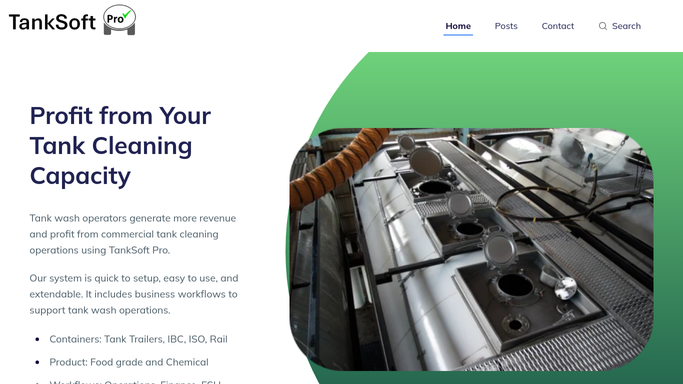


How do I make sure wash rejects and recleans get escalated?
WebRun checks TankSoft Pro every few minutes for washes marked reject or reclean at final inspection and reads the tank, bay, and reason for each. It posts every exception to the Slack bay channel and, if one stays open past your threshold, escalates it to a supervisor on Telegram, so a failed wash never quietly stalls a bay.
- Every reject and reclean is visible to the bay team within minutes
- Exceptions open past the threshold reach a supervisor on Telegram
- No failed wash quietly stalls a bay overnight
Built for wash-bay supervisors · tank wash operators · quality inspectors · tanker cleaning stations
How is each run configured?
Secure by default
Connect once, stays signed in
WebRun signs in once and keeps each session in a persistent environment, so every run picks up right where it left off.
Every action is checked against this policy before it runs.
Questions, answered
Are the Slack and Telegram alerts sent automatically?
Yes. Both go only to your own team, the bay channel in Slack and a supervisor on Telegram. WebRun never contacts a carrier or driver about a reject, so escalation stays internal.
When does an exception get escalated?
When a reject or reclean stays open past the time threshold you set. Until then it sits in the Slack list, and only overdue exceptions reach a supervisor on Telegram.
Does it close exceptions on its own?
No. It tracks and escalates them but reads the status from TankSoft Pro. An exception clears only when your team resolves it in the system, and WebRun reflects that in the thread.
Related templates
Put this on autopilot.
Turn it on in minutes - or have our team set it up for you.