Catch missing e-way bills before dispatch
Every hour during business hours, WebRun opens TallyPrime, checks invoices above the e-way bill threshold for a recorded e-way bill number, and sends your dispatch team a WhatsApp alert for any invoice missing one, before the goods leave the warehouse.
- No credit card
- Under $0.01 per run
- Cancel anytime
What does WebRun do on every run?
The exact actions WebRun takes, in order - in plain language, so you can adjust anything.
-
WebRun signs in and gets to work
Opens
tallysolutions.comin a real browser with your saved login - no setup, no API keys. -
1
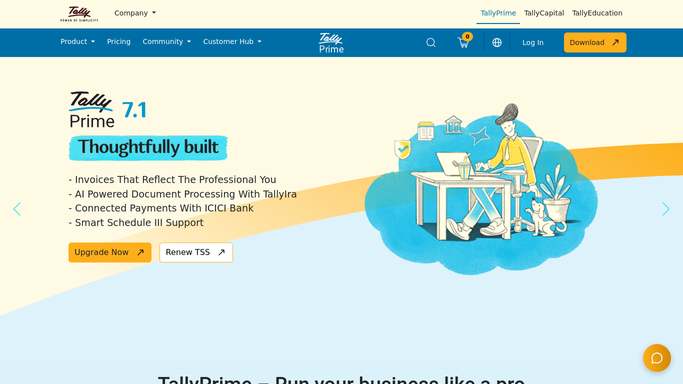
Tally Solutions - check invoices for a missing e-way bill
tallysolutions.com How to Automate Tally Solutions

WebRun opens Tally Solutions to check invoices for a missing e-way bill. - Open TallyPrime and pull sales invoices above the e-way bill value threshold
- Check each one for a recorded e-way bill number
- List every invoice above the threshold with no e-way bill number on file
Done when Every qualifying invoice has been checked for a recorded e-way bill number.
-
2
WhatsApp - alert dispatch before goods move
whatsapp.com How to Automate WhatsApp
WebRun opens WhatsApp to alert dispatch before goods move. - Send an alert listing each invoice missing its e-way bill number
- Include the invoice number, value, and destination for each
- Stay quiet during hours when every qualifying invoice already has one recorded
Done when Dispatch has a WhatsApp alert for any invoice that would move without an e-way bill.

How do I make sure every shipment has an e-way bill before it leaves?
WebRun checks TallyPrime every hour during business hours for sales invoices above the e-way bill value threshold and confirms each one has an e-way bill number recorded. Any qualifying invoice missing one triggers an immediate WhatsApp alert to your dispatch team, so goods never leave the warehouse without the compliance document already generated.
- Missing e-way bills get caught before goods leave the warehouse
- Dispatch team checks WhatsApp instead of manually auditing invoices
- Compliance gaps surface within the hour, not after a roadside stop
Built for dispatch teams · logistics managers · small manufacturers · Tally users
How is each run configured?
Secure by default
Connect once, stays signed in
WebRun signs in once and keeps each session in a persistent environment, so every run picks up right where it left off.
Every action is checked against this policy before it runs.
Questions, answered
Does it generate the e-way bill for me?
No. It only checks whether a qualifying invoice already has an e-way bill number recorded in TallyPrime and flags the ones that don't. Generating the e-way bill itself still happens on the government portal.
What counts as a qualifying invoice?
Any sales invoice with a goods value above the e-way bill threshold you've set, matching the limit that applies under GST rules.
How often does it check?
Every hour during business hours, so a missing e-way bill gets caught before dispatch rather than discovered after the goods are already on the road.
Related templates
Put this on autopilot.
Turn it on in minutes - or have our team set it up for you.