Automated Synthesia Language Coverage Checks
Every Monday, WebRun opens Synthesia, walks the folders in your workspace to list finished videos and the languages each one exists in, compares that against the languages every title is meant to cover, files a Trello card per gap, and saves the coverage matrix to Google Drive.
How do I find which videos are missing a language version?
WebRun checks your video language coverage every Monday. It walks the folders in Synthesia, lists every finished video and the languages it exists in, compares that against the languages each title must cover, saves the coverage matrix to Google Drive, and raises a Trello card per missing version.
- A market stops sitting on an English only version for months
- Every missing language version becomes a card someone owns
- The Drive matrix doubles as a directory of live share links
Built for enablement teams · localisation managers · L&D teams · product marketing
What does WebRun do on every run?
The exact actions WebRun takes, in order - in plain language, so you can adjust anything.
-
WebRun signs in and gets to work
Opens
app.synthesia.ioin a real browser with your saved login - no setup, no API keys. -
1
Synthesia - list videos and their languages
synthesia.io
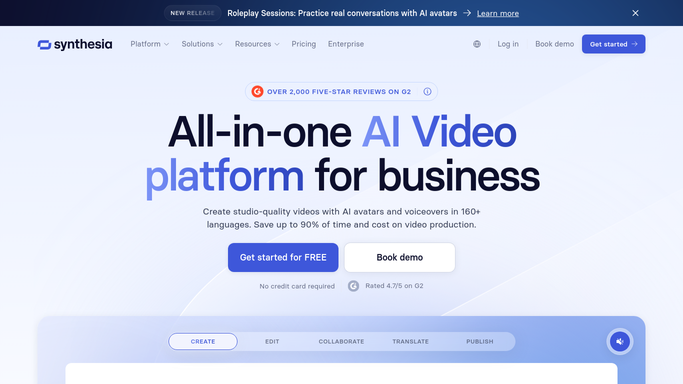
WebRun opens Synthesia to list videos and their languages. - Open Synthesia and walk the folders in your workspace
- Capture each finished video with its title, folder, and the language it was produced in
- Group videos that are language versions of the same title under one entry
- Note which titles have a share link live and which are still internal
- Never delete or overwrite a video. WebRun only reads the library
Done when Every finished video is grouped by title with the languages it exists in.
-
2
Google Drive - save the coverage matrix
drive.google.com

WebRun opens Google Drive to save the coverage matrix. - Open the coverage matrix in your Google Drive enablement folder
- Write a row per title and a column per required language, marking each cell present or missing
- Add the share link for versions that exist, so the matrix doubles as a directory
- Keep last week's version alongside, so new gaps and closed gaps are both visible
Done when The coverage matrix in Drive shows every title against every required language.
-
3
Trello - card each missing language
trello.com

WebRun opens Trello to card each missing language. - Open your content board in Trello and add a card per missing language version
- Put the title, the missing language, and the source video's folder on each card
- Prioritise titles that already have a live share link in other languages
- Close cards for versions that have since been produced
Done when Every missing language version has a Trello card, and produced ones are closed.
How is each run configured?
Secure by default
Connect once, stays signed in
WebRun signs in once and keeps each session in a persistent environment, so every run picks up right where it left off.
Every action is checked against this policy before it runs.
Questions, answered
Will it generate the missing videos?
No. WebRun reports which language versions are missing and raises a Trello card for each. Producing a video stays with your team, so nothing is generated, published, or shared without a person deciding.
How does it know which languages a title needs?
From the required language list you keep alongside the coverage matrix in Google Drive. Each title is checked against that list, so the gaps reflect what you promised each market.
Does it change anything in Synthesia?
No. It reads the folders, titles, and languages in your workspace. Videos, share links, and folders are left untouched, so the only outputs are the Drive matrix and the Trello cards.
Related templates
Put this on autopilot.
Turn it on in minutes - or have our team set it up for you.