Prep safe cancellations when an advisory hits
WebRun checks the National Weather Service marine forecast for your coast each morning, and when a small craft advisory or high-surf hazard is in effect it lists the affected WaveRez lessons, drafts a safety cancellation text for each guest in Twilio, leaves them queued for your approval, and posts an alert to Slack.
- No credit card
- Under $0.01 per run
- Cancel anytime
What does WebRun do on every run?
The exact actions WebRun takes, in order - in plain language, so you can adjust anything.
-
WebRun signs in and gets to work
Opens
www.weather.govin a real browser with your saved login - no setup, no API keys. -
1
National Weather Service - check for marine advisories
weather.gov

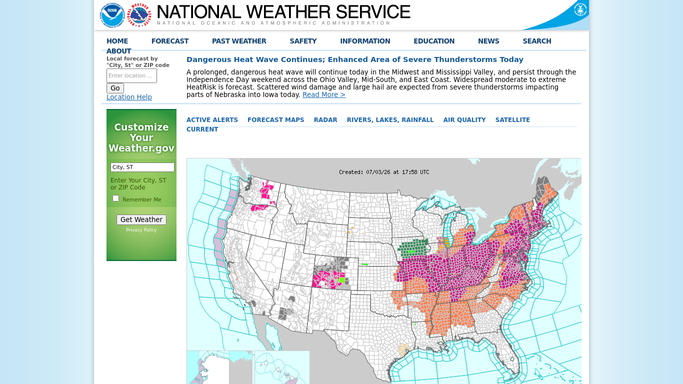
WebRun opens the National Weather Service to check for marine advisories. - Open the National Weather Service marine forecast page for your coastal zone
- Check for an active small craft advisory, high surf advisory, or similar hazard
- Read the effective window and the wind and wave thresholds cited
- Note when the advisory is set to expire
Done when Any active marine advisory and its effective window are captured.
-
2
WaveRez - list the affected lessons
waverez.com How to Automate WaveRez
WebRun opens WaveRez to list the affected lessons. - Open WaveRez and list lessons scheduled inside the advisory window
- Capture each guest name, mobile number, and lesson time
- Separate confirmed lessons from tentative or unpaid holds
- Note guests who may want a reschedule rather than a refund
Done when Every lesson inside the advisory window is listed with guest contact details.
-
3
Twilio - draft cancellation texts
twilio.com How to Automate Twilio
WebRun opens Twilio to draft cancellation texts. - Draft a clear, calm safety cancellation text for each affected guest naming the advisory
- Offer a reschedule or refund path so the guest knows the next step
- Queue every message for your approval. Never send a cancellation or refund automatically
- Flag any booking without a mobile number for a phone call instead
Done when A cancellation text for each affected guest is queued and awaiting approval.
-
4
Slack - alert the team
slack.com How to Automate Slack
WebRun opens Slack to alert the team. - Post an alert to your ops Slack channel that an advisory is in effect and which lessons are affected
- Summarize how many cancellation texts are queued and awaiting sign-off
- Ask a manager to confirm the safety call before any text goes out
Done when Your team is alerted in Slack with queued cancellations pending approval.



How do I cancel and notify surf lessons automatically during a small craft advisory?
WebRun checks the National Weather Service marine forecast for your coast each morning, and when a small craft advisory is in effect it lists the affected WaveRez lessons and drafts a safety cancellation text for each guest in Twilio. It queues the texts for your approval and alerts your team in Slack, so nobody is sent out in unsafe conditions.
- Guests are never sent out during a posted marine hazard
- Cancellation texts are ready the moment a manager confirms the call
- The whole team sees the advisory and impact in one Slack alert
Built for surf schools · surf instructors · watersport operators · surf camps
How is each run configured?
Secure by default
Connect once, stays signed in
WebRun signs in once and keeps each session in a persistent environment, so every run picks up right where it left off.
Every action is checked against this policy before it runs.
Questions, answered
Will it cancel lessons or text guests without me?
No. WebRun drafts the cancellation texts and queues them in Twilio, but a manager makes the safety call and approves each message. No booking is cancelled and no guest is contacted automatically.
Which advisories trigger it?
It watches the National Weather Service marine forecast for your zone and reacts to hazards you choose, typically a small craft advisory or high surf advisory, reading the effective window so only lessons inside it are listed.
What happens when the advisory expires?
It rechecks the National Weather Service forecast each run, so once the advisory lifts, lessons outside any active window are no longer listed for cancellation.
Related templates
Put this on autopilot.
Turn it on in minutes - or have our team set it up for you.