See every email still waiting on a reply
Every morning, WebRun opens Superhuman, finds the threads you sent that nobody has replied to since your cut-off, writes each one into a Notion follow-up page with the recipient and days waiting, and creates a Trello card so the chase actually gets done.
- No credit card
- Under $0.01 per run
- Cancel anytime
How do I track emails that never got a reply?
WebRun reviews your Superhuman sent mail every morning and finds the threads nobody answered. It logs each one in a Notion follow-up database with the recipient and days waiting, then opens a Trello card for anything past your chase threshold, so no unanswered email quietly goes cold.
- Every unanswered thread shows up with a days-waiting count
- Overdue chases become dated Trello cards instead of good intentions
- Threads that get answered fall off the list on their own
Built for founders · sales teams · recruiters · consultants · business development
What does WebRun do on every run?
The exact actions WebRun takes, in order - in plain language, so you can adjust anything.
-
WebRun signs in and gets to work
Opens
mail.superhuman.comin a real browser with your saved login - no setup, no API keys. -
1
Superhuman - find threads with no reply
superhuman.com
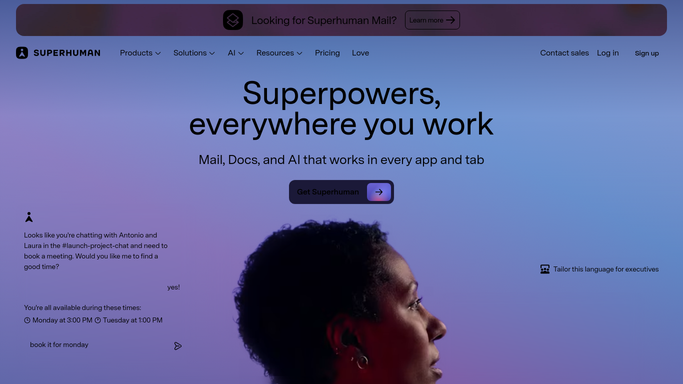
WebRun opens Superhuman to find threads with no reply. - Open Superhuman and review your sent threads from the last few weeks
- Find every thread where you sent the last message and no reply came back
- Capture the recipient, the subject, the date you sent it, and the days waiting
- Skip newsletters, no-reply addresses, and threads you marked as closed
Done when Every sent thread with no reply is listed with a days-waiting count.
-
2
Notion - log who owes you an answer
notion.so How to Automate Notion

WebRun opens Notion to log who owes you an answer. - Open your follow-up database in Notion
- Add or update one row per waiting thread with recipient, subject, sent date, and days waiting
- Mark rows as answered when a reply has landed since the last run
- Keep a short note of what you asked for so you can pick the thread back up
Done when The Notion follow-up database matches this morning's unanswered threads.
-
3
Trello - create the follow-up cards
trello.com How to Automate Trello

WebRun opens Trello to create the follow-up cards. - Create a Trello card for each thread past your chase threshold, for example five days waiting
- Title each card with the recipient and the subject, and link back to the Notion row
- Set a due date and move anything over two weeks to the top of the list
- Archive cards whose thread has since been answered
Done when Every overdue thread has a live Trello card with a due date.
How is each run configured?
Secure by default
Connect once, stays signed in
WebRun signs in once and keeps each session in a persistent environment, so every run picks up right where it left off.
Every action is checked against this policy before it runs.
Questions, answered
Will it send follow-up emails for me?
No. WebRun only reads your Superhuman threads and builds the list. Any actual follow-up email is written and sent by you, so nothing goes to a client or a candidate without your words behind it.
Does it archive or change my inbox?
No. It reads threads and never archives, deletes, snoozes, or replies. The only things it writes are the Notion rows and the Trello cards, both internal to your team.
How does it avoid chasing people who already replied?
It re-reads the live thread state in Superhuman every morning, so any thread that got an answer overnight is marked answered in Notion and its Trello card is archived.
Related templates
Put this on autopilot.
Turn it on in minutes - or have our team set it up for you.