Automated Superhuman Snoozed Email Brief
Every morning before you open the inbox, WebRun opens Superhuman, lists the snoozed threads and reminders returning today, notes which scheduled emails are set to send, cross-checks the queued sends in Gmail, and messages you one look-ahead brief on Telegram.
How do I see which snoozed emails are coming back to my inbox today?
Every morning WebRun opens Superhuman, lists the snoozed threads and reminders due back in your inbox today, and checks which scheduled emails are set to send. It cross-checks the queued sends in Gmail and messages you the brief on Telegram, so the day's inbox holds no surprises.
- You know what returns to the inbox before you open it
- Scheduled sends are confirmed the morning they go out
- Threads snoozed three times or more get flagged for a decision
Built for founders · executives · sales leaders · busy inbox users
What does WebRun do on every run?
The exact actions WebRun takes, in order - in plain language, so you can adjust anything.
-
WebRun signs in and gets to work
Opens
mail.superhuman.comin a real browser with your saved login - no setup, no API keys. -
1
Superhuman - list what returns today
superhuman.com
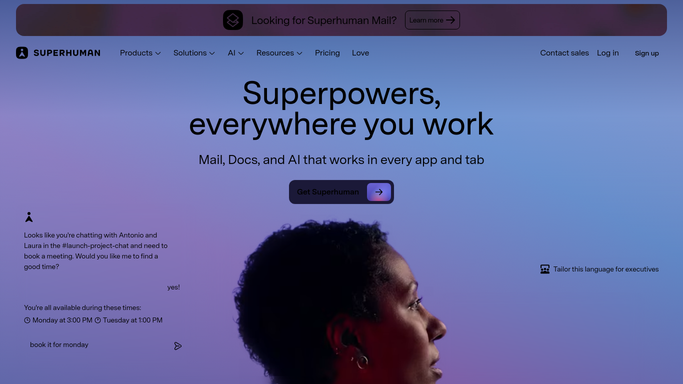
WebRun opens Superhuman to list what returns today. - Open Superhuman and read the snoozed threads set to return today
- Capture each thread's subject, the person waiting, and the hour it comes back
- Note any reminders due and any scheduled sends timed for today, across your inbox splits
Done when Everything due to resurface or send today is listed with its time.
-
2
Gmail - check queued scheduled sends
gmail.com

WebRun opens Gmail to check queued scheduled sends. - Open Gmail and read the scheduled sends queued for today
- Match them against the Superhuman list so nothing is counted twice
- Read only. Leave every draft unsent and never send or cancel a queued message
Done when Today's queued sends are confirmed and de-duplicated against Superhuman.
-
3
Telegram - brief you before the inbox opens
telegram.org

WebRun opens Telegram to brief you before the inbox opens. - Send you one brief with what returns today, in the order it arrives
- List the scheduled emails going out, with the recipient and the hour
- Flag anything returning for the third time or more so it gets a decision
Done when You have today's look-ahead brief on Telegram before you open the inbox.
How is each run configured?
Secure by default
Connect once, stays signed in
WebRun signs in once and keeps each session in a persistent environment, so every run picks up right where it left off.
Every action is checked against this policy before it runs.
Questions, answered
Will it send or cancel any of my emails?
No. WebRun reads only. Scheduled sends stay scheduled, drafts stay drafts, and nothing is sent, cancelled, or rescheduled. The single message it sends goes to you on Telegram.
Does it unsnooze anything?
No. Snoozed threads return on exactly the schedule you set. WebRun just tells you what is coming and when, so the inbox is not a surprise.
What if a thread keeps coming back untouched?
It counts how many times a thread has been snoozed and flags any at three or more, so the ones you keep deferring get a decision instead of another snooze.
Related templates
Put this on autopilot.
Turn it on in minutes - or have our team set it up for you.