Catch a broken internal app before your team does
Every hour, WebRun opens Superblocks, checks deployed internal apps for data source connection errors or failed API calls, creates a Trello card naming the app and the failing integration, and alerts the team on Microsoft Teams so a broken internal tool gets fixed before it blocks someone's work.
- No credit card
- Under $0.01 per run
- Cancel anytime
What does WebRun do on every run?
The exact actions WebRun takes, in order - in plain language, so you can adjust anything.
-
WebRun signs in and gets to work
Opens
app.superblocks.comin a real browser with your saved login - no setup, no API keys. -
1
Superblocks - check apps for data or API errors
superblocks.com

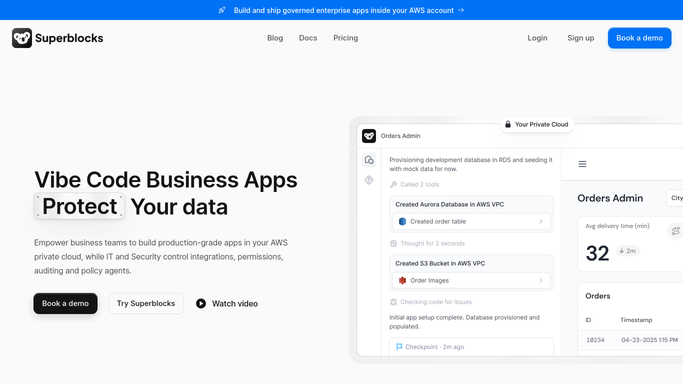
WebRun opens Superblocks to check apps for data or API errors. - Open Superblocks and check deployed apps for errors in the last hour
- Note any failed data source connection or API call
- Record the app name and the failing integration
Done when Every app with an error in the last hour is listed with its integration.
-
2
Trello - create a card for each error
trello.com How to Automate Trello
WebRun opens Trello to create a card for each error. - Open the internal tools board and create a card per broken app
- Add the failing integration and the error message
- Skip creating a new card if one already exists for that app
Done when Every broken app has a Trello card tracking the fix.
-
3
Microsoft Teams - alert the team
microsoft.com How to Automate Microsoft Teams
WebRun opens Microsoft Teams to alert the team. - Post the broken app and its error to the engineering channel
- Link to the new Trello card
- Leave the fix itself to the team
Done when The team has been alerted to every broken internal app.


How do I get alerted when a Superblocks internal app breaks?
WebRun checks every deployed Superblocks app hourly for data source connection or API errors, creates a Trello card naming the app and failing integration, and alerts the team on Microsoft Teams. Internal tools stop breaking silently for whoever opens them next, because engineering hears about the failure within the hour it happens.
- Broken internal apps get caught within the hour
- Every error is tracked with the failing integration named
- The team hears about it in Teams before a user files a complaint
Built for Platform engineering teams · internal tools teams · DevOps · startup engineering teams
How is each run configured?
Secure by default
Connect once, stays signed in
WebRun signs in once and keeps each session in a persistent environment, so every run picks up right where it left off.
Every action is checked against this policy before it runs.
Questions, answered
Will it fix the broken data source itself?
No. WebRun only reports which app and integration is failing. Fixing the connection or API stays with your engineering team.
Does it check every deployed app?
Yes, every app deployed on the Superblocks workspace gets checked each run, not just the ones someone remembers to watch.
Will the same error create duplicate cards?
No. It checks the board for an existing card before creating a new one, so a still-broken app is not duplicated across runs.
Related templates
Put this on autopilot.
Turn it on in minutes - or have our team set it up for you.