Chase every overdue subscription payment so nothing stays outstanding
Every Monday, WebRun opens Chargebee, finds all overdue invoices, groups each customer by days overdue into a first, second, or final notice tier, drafts a tiered chase email in Gmail for every account, and for accounts over 60 days overdue it queues an SMS via Twilio for manager approval before sending.
- No credit card
- Under $0.01 per run
- Cancel anytime
What does WebRun do on every run?
The exact actions WebRun takes, in order - in plain language, so you can adjust anything.
-
WebRun signs in and gets to work
Opens
app.chargebee.com/loginin a real browser with your saved login - no setup, no API keys. -
1
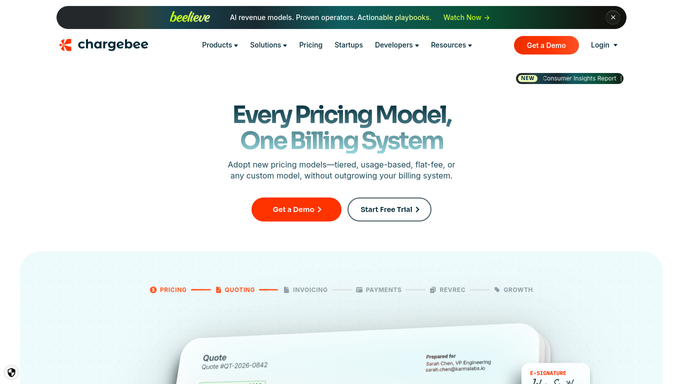
Chargebee - find overdue invoices and tier by days outstanding
chargebee.com How to Automate Chargebee

WebRun opens Chargebee to find overdue invoices and tier by days outstanding. - Open Chargebee and filter invoices to Not Paid status with a due date in the past
- Capture customer name, email, phone, invoice number, amount, and days overdue for each
- Assign each account to a tier: 1 to 14 days overdue, 15 to 60 days overdue, and over 60 days overdue
Done when Every overdue account is listed and assigned to an overdue tier.
-
2
Gmail - draft tiered chase email for each overdue account
gmail.com How to Automate Gmail
WebRun opens Gmail to draft tiered chase email for each overdue account. - Open Gmail and draft a chase email for each overdue account using tone appropriate to the tier
- Tier 1 (1 to 14 days): a polite reminder with invoice details and payment link
- Tier 2 (15 to 60 days): a firmer follow-up noting the account is past due and requesting immediate payment
- Tier 3 (over 60 days): a final notice flagging the risk of service suspension
- Leave all drafts unsent for billing team review before sending
Done when A tiered chase email draft is staged in Gmail for every overdue account.
-
3
Twilio - queue SMS draft for accounts over 60 days overdue
twilio.com How to Automate Twilio
WebRun opens Twilio to queue SMS draft for accounts over 60 days overdue. - For Tier 3 accounts with a phone number on file, compose a short SMS draft requesting urgent contact
- Include the customer name, a note that their account is over 60 days overdue, and a callback number
- Queue the draft for manager approval before any SMS is sent
Done when SMS drafts for all Tier 3 overdue accounts are queued in Twilio awaiting manager approval.


How do I automatically chase overdue subscription invoices with tiered reminders?
Every Monday, WebRun pulls all overdue Chargebee invoices, groups each account into a tier by days outstanding, and drafts a tone-appropriate chase email in Gmail for every overdue customer. Accounts over 60 days overdue also get an SMS draft queued in Twilio for manager approval. No message is ever sent without your team's explicit review.
- Every overdue account gets a tiered, tone-appropriate chase draft every Monday
- The oldest overdue accounts are automatically escalated to SMS outreach drafts
- No chase message reaches any customer without billing team approval
Built for SaaS billing teams · accounts receivable · subscription businesses · finance operations
How is each run configured?
Secure by default
Connect once, stays signed in
WebRun signs in once and keeps each session in a persistent environment, so every run picks up right where it left off.
Every action is checked against this policy before it runs.
Questions, answered
Will it send chase emails to overdue customers automatically?
No. Every chase email is saved as a Gmail draft and every SMS is held in Twilio for manager approval. Nothing is sent to any customer until your billing team reviews and approves each message.
How does the tiering work for customers with multiple overdue invoices?
It groups all overdue invoices by customer and assigns the tier based on the oldest invoice. A single customer with invoices at different ages is placed in the highest (most overdue) tier so the most urgent notice is drafted.
What if an overdue customer pays between runs?
The Monday run reads live invoice status from Chargebee, so any customer who has paid since last week is excluded from the new chase drafts automatically.
Related templates
Put this on autopilot.
Turn it on in minutes - or have our team set it up for you.