Keep revenue by drafting dunning emails for every failed payment
When a payment fails in Chargebee, WebRun looks up the customer and subscription details, drafts a polite, personalized recovery email in Gmail for your team to approve, and posts a summary of all failed payments in Slack so nothing falls through the cracks.
- No credit card
- Under $0.01 per run
- Cancel anytime
What does WebRun do on every run?
The exact actions WebRun takes, in order - in plain language, so you can adjust anything.
-
WebRun signs in and gets to work
Opens
app.chargebee.com/loginin a real browser with your saved login - no setup, no API keys. -
1
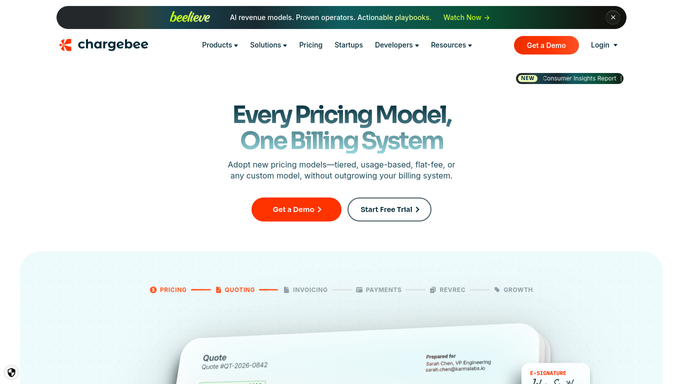
Chargebee - detect failed payments
chargebee.com How to Automate Chargebee

WebRun opens Chargebee to detect failed payments. - Open Chargebee and filter transactions to Failed status
- Capture the customer name, email, subscription plan, amount, and failure reason for each
- Note whether this is the first, second, or third failure for this customer
Done when Every failed payment has been listed with its customer details and failure count.
-
2
Gmail - draft recovery email for review
gmail.com How to Automate Gmail
WebRun opens Gmail to draft recovery email for review. - Open Gmail and create a draft for each failed payment customer
- Personalize the subject and body with the customer name, plan, and amount owed
- Adjust the tone based on whether this is a first or repeat failure
- Leave every draft unsent for a team member to review and approve
Done when A personalized recovery email draft exists in Gmail for every failed payment.
-
3
Slack - post failed payment summary
slack.com How to Automate Slack
WebRun opens Slack to post failed payment summary. - Post a concise summary of all failed payments to the billing channel
- Include customer name, amount, failure reason, and a link to the Chargebee record
- Flag any customer with two or more consecutive failures as high priority
Done when The billing team has a full failed-payment summary in Slack.


How do I automatically draft dunning emails for failed subscription payments?
WebRun monitors Chargebee for failed payments and, within minutes of each failure, drafts a personalized recovery email in Gmail for team review and posts a full failed-payment summary to Slack. No email is ever sent without human approval, so your dunning outreach stays on-brand and compliant.
- Every failed payment gets a personalized recovery draft within minutes
- No dunning email reaches a customer without human review
- Repeat failures are flagged as high priority so your team acts first
Built for SaaS billing teams · subscription businesses · finance ops · customer success
How is each run configured?
Secure by default
Connect once, stays signed in
WebRun signs in once and keeps each session in a persistent environment, so every run picks up right where it left off.
Every action is checked against this policy before it runs.
Questions, answered
Will it send the recovery email automatically?
No. WebRun drafts every recovery email in Gmail but never sends it. A team member reviews and approves each draft before it reaches the customer.
How does it personalize the email for each customer?
It pulls the customer name, plan name, amount owed, and failure reason from Chargebee and weaves them into the draft, adjusting the tone for first-time versus repeat failures.
What happens if the payment succeeds on a retry before I send the draft?
The next run checks Chargebee's live transaction status, so recovered payments are marked resolved in the Slack summary and you can delete the now-unneeded draft.
Related templates
Put this on autopilot.
Turn it on in minutes - or have our team set it up for you.