Draft review requests for athletes after sports medicine visits
Every morning, WebRun opens Healthy Roster, finds visits completed in the past 24 hours where a review has not yet been requested, drafts a brief review request email for the trainer to approve and send for each eligible athlete, and posts a daily summary of queued drafts to Slack.
- No credit card
- Under $0.01 per run
- Cancel anytime
What does WebRun do on every run?
The exact actions WebRun takes, in order - in plain language, so you can adjust anything.
-
WebRun signs in and gets to work
Opens
app.healthyroster.comin a real browser with your saved login - no setup, no API keys. -
1
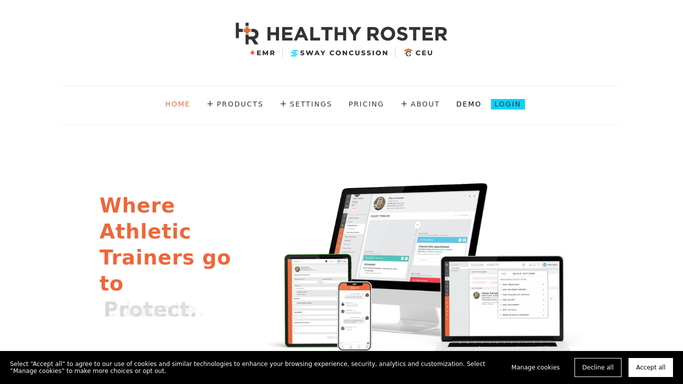
Healthy Roster - find completed visits eligible for review request
healthyroster.com How to Automate Healthy Roster

WebRun opens Healthy Roster to find completed visits eligible for review request. - Open Healthy Roster and filter completed visits from the past 24 hours
- Exclude any visit where the athlete previously received a review request
- Capture the athlete name, visit date, and provider for each eligible completed visit
Done when All eligible completed visits are identified for review request drafting.
-
2
Gmail - draft review request emails for trainer approval
gmail.com How to Automate Gmail
WebRun opens Gmail to draft review request emails for trainer approval. - Draft a brief, warm review request email for each eligible athlete
- Do not include any injury, diagnosis, or treatment details in the email draft: keep it to a simple satisfaction or experience request only
- Save every draft unsent in Gmail for the athletic trainer to read and approve before sending
Done when Each eligible athlete has a draft review request queued for trainer approval.
-
3
Slack - post daily review-request draft summary
slack.com How to Automate Slack
WebRun opens Slack to post daily review-request draft summary. - Post a daily summary to the training room Slack channel noting how many review request drafts are queued
- Remind the team to review and send approved drafts before end of day
Done when The team has today's review-request summary in Slack.


How do I automatically draft review requests for athletes after sports medicine visits?
WebRun checks Healthy Roster every morning for visits completed in the past 24 hours and drafts a brief, health-information-free review request email for each eligible athlete in Gmail for the trainer to approve before sending. It posts a daily Slack summary of queued drafts so the team can approve and send in minutes, steadily growing the program's online reputation.
- Every completed visit gets a review request draft ready for trainer approval the next morning
- No health information is included in any draft, keeping all outreach HIPAA-safe
- The program builds a steady review cadence without any manual drafting
Built for athletic trainers · sports medicine clinics · college athletic programs · high school and industrial sports medicine sites
How is each run configured?
Secure by default
Connect once, stays signed in
WebRun signs in once and keeps each session in a persistent environment, so every run picks up right where it left off.
Every action is checked against this policy before it runs.
Questions, answered
Will it send review requests to athletes without my approval?
No. Every review request is saved as a draft in Gmail for the athletic trainer to review and approve before sending. No email reaches an athlete without explicit trainer sign-off.
Will the email mention the athlete's injury or treatment?
No. The draft contains only a general satisfaction or experience request. No injury, diagnosis, treatment, or health information is included, keeping the outreach HIPAA-safe once the trainer approves it.
What if an athlete has already received a review request in the past?
WebRun checks Healthy Roster for prior outreach records each morning and skips any athlete who has already received a review request, so no athlete is contacted more than once.
Related templates
Put this on autopilot.
Turn it on in minutes - or have our team set it up for you.