Get alerted to uncovered shifts before they become a staffing gap
Every morning, WebRun checks Google Calendar for store shifts in the next 48 hours, cross-references confirmed staff assignments, identifies any uncovered shifts, and posts an alert to the store manager's Slack with the gap details and the next steps.
- No credit card
- Under $0.01 per run
- Cancel anytime
What does WebRun do on every run?
The exact actions WebRun takes, in order - in plain language, so you can adjust anything.
-
WebRun signs in and gets to work
Opens
calendar.google.comin a real browser with your saved login - no setup, no API keys. -
1
Google Calendar - identify store shifts in the next 48 hours
calendar.google.com How to Automate Google Calendar

WebRun opens Google Calendar to identify store shifts in the next 48 hours. - Open Google Calendar and look at the store schedule for the next 48 hours
- List every shift event with the scheduled start time, end time, and assigned staff name
- Flag any shift where the assigned field is empty or marked as unconfirmed
Done when All scheduled shifts in the next 48 hours are listed and uncovered ones are identified.
-
2
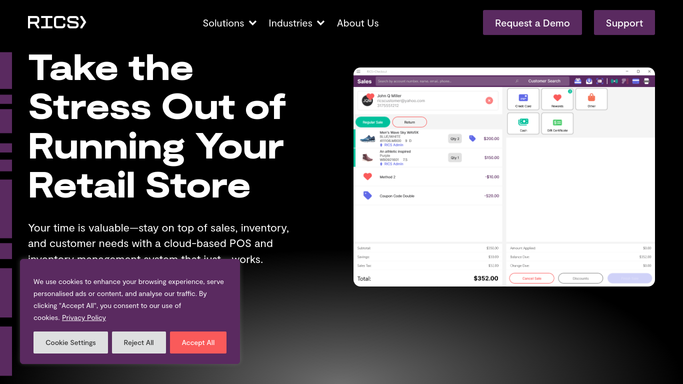
RICS Software - check staffing records for confirmed assignments
ricssoftware.com How to Automate RICS Software
WebRun opens RICS Software to check staffing records for confirmed assignments. - Open RICS Software and check staff availability records for the flagged shift dates
- Note which employees are available and have worked similar shifts previously
- Identify one or two candidates the manager could contact to cover the gap
Done when Availability data and candidate suggestions are noted for each uncovered shift.
-
3
Slack - alert the store manager to any uncovered shifts
slack.com How to Automate Slack
WebRun opens Slack to alert the store manager to any uncovered shifts. - Post a Slack alert to the store manager listing each uncovered shift with date, time, and candidate suggestions from RICS
- If all shifts are covered, post a brief confirmation so the manager knows the check ran
Done when The manager has a Slack alert for every uncovered shift with suggested cover candidates.


How do I get automatic alerts for uncovered staff shifts in my sporting goods store?
WebRun checks Google Calendar every morning for store shifts in the next 48 hours, looks up availability in RICS Software, and posts a Slack alert to the store manager listing any uncovered shifts with candidate suggestions. Managers make the contact call themselves. No staff member is texted or emailed automatically.
- Uncovered shifts surface 48 hours in advance, not an hour before opening
- Manager receives candidate suggestions alongside the gap alert
- All-clear confirmation posts when every shift is covered so nothing is left to guesswork
Built for sporting goods store managers · footwear retail operators · multi-location scheduling coordinators · run specialty shop owners
How is each run configured?
Secure by default
Connect once, stays signed in
WebRun signs in once and keeps each session in a persistent environment, so every run picks up right where it left off.
Every action is checked against this policy before it runs.
Questions, answered
Does it contact staff members to fill the gap?
No. WebRun alerts the manager with candidate suggestions, but the manager makes the call to the staff member. Contacting employees directly is a human decision.
How does it know who is available to cover?
WebRun reads availability data from RICS Software staff records and identifies employees who are not already scheduled and who have worked comparable shifts before.
What if all shifts are covered?
WebRun posts a brief confirmation in Slack so the manager knows the check ran and everything is fine. Silence is never the signal.
Related templates
Put this on autopilot.
Turn it on in minutes - or have our team set it up for you.