Flag suspicious refund patterns before they cost you more
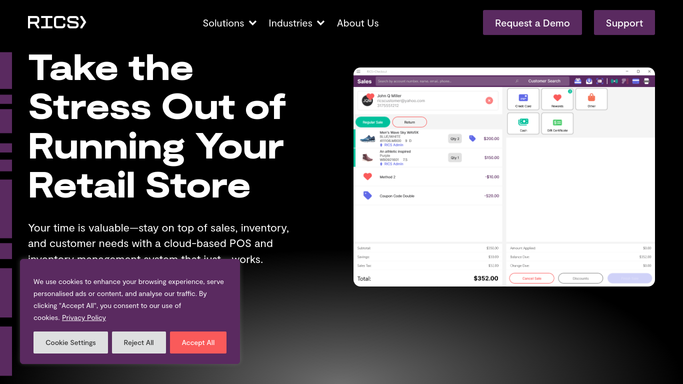
Every morning, WebRun opens RICS Software, reads all refund transactions from the previous day, checks each against your refund policy (receipt present, return window, correct tender), logs the full list to Google Sheets, and sends a Telegram alert to management listing any exceptions that broke policy.
- No credit card
- Under $0.01 per run
- Cancel anytime
What does WebRun do on every run?
The exact actions WebRun takes, in order - in plain language, so you can adjust anything.
-
WebRun signs in and gets to work
Opens
www.ricssoftware.comin a real browser with your saved login - no setup, no API keys. -
1
RICS Software - read yesterday's refund transactions and check against policy
ricssoftware.com How to Automate RICS Software

WebRun opens RICS Software to read yesterday's refund transactions and check against policy. - Open RICS Software and navigate to transaction reports filtered to refunds
- Pull all refund transactions from the previous day with employee, amount, SKU, reason code, and payment method
- Check each refund: was a receipt present, is the return within the allowed window, was the refund to the original payment method
- Flag any refund that fails one or more policy checks
Done when All refunds from yesterday are reviewed and policy exceptions are identified.
-
2
Google Sheets - log the full refund list with policy-check results
google.com How to Automate Google Sheets
WebRun opens Google Sheets to log the full refund list with policy-check results. - Open the refund log Google Sheet
- Append yesterday's refunds with a policy-check column showing pass or fail for each criterion
- Flag exception rows in red for easy management review
Done when Yesterday's full refund list with policy-check results is appended to Google Sheets.
-
3
Telegram - alert management to any policy exceptions
telegram.org How to Automate Telegram
WebRun opens Telegram to alert management to any policy exceptions. - Send a Telegram message to the management group listing each policy exception
- Include employee name, refund amount, SKU, and the specific policy rule that was broken
- If there are no exceptions, send a brief all-clear confirmation
Done when Management has received a Telegram alert with all refund exceptions (or an all-clear if none).


How do I automatically flag refund policy exceptions from RICS Software?
WebRun reads all RICS Software refund transactions every morning, checks each against your return policy rules (receipt, return window, tender match), logs the full list to Google Sheets, and sends a Telegram alert to management listing every policy exception with the employee name, amount, and rule broken. No refunds are blocked or reversed automatically.
- Policy-breaking refunds surface every morning before they become a repeated pattern
- Employee name and broken rule are included so investigations start with context
- Running Google Sheets log makes it easy to spot high-frequency exception employees
Built for sporting goods store managers · retail loss prevention teams · footwear shop owners · multi-location retail operators
How is each run configured?
Secure by default
Connect once, stays signed in
WebRun signs in once and keeps each session in a persistent environment, so every run picks up right where it left off.
Every action is checked against this policy before it runs.
Questions, answered
Does it reverse or block the refund if it breaks policy?
No. WebRun only flags the exception after the fact and alerts management. Reversing or disputing a completed refund is a decision your manager makes after reviewing the alert.
What counts as a refund policy exception?
You define the policy: for example, refunds without a receipt, refunds outside a 30-day window, or cash refunds on card purchases. WebRun checks every refund against the rules you set.
Can it track if the same employee has repeated exceptions?
Yes. The Google Sheets log accumulates over time, so you can filter by employee to see whether refund exceptions are concentrated with a particular staff member.
Related templates
Put this on autopilot.
Turn it on in minutes - or have our team set it up for you.