Turn a Sourcegraph search into a weekly code health digest
Every Monday, WebRun opens Sourcegraph, runs your saved searches for TODOs, deprecated calls, and flagged patterns across every repository, posts a code health digest to Microsoft Teams, and books a cleanup review slot on Google Calendar whenever a pattern's count climbs past your threshold.
- No credit card
- Under $0.01 per run
- Cancel anytime
What does WebRun do on every run?
The exact actions WebRun takes, in order - in plain language, so you can adjust anything.
-
WebRun signs in and gets to work
Opens
sourcegraph.comin a real browser with your saved login - no setup, no API keys. -
1
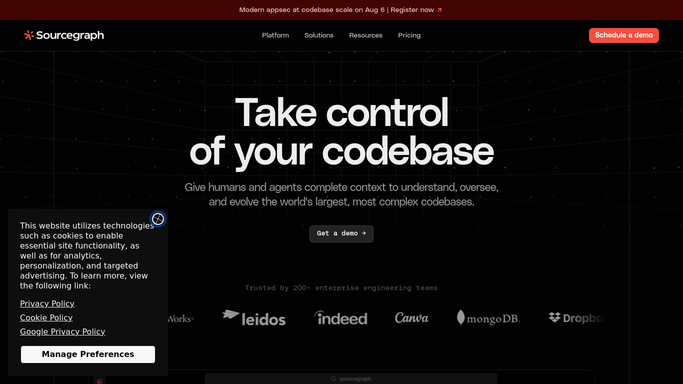
Sourcegraph - run the saved code health searches
sourcegraph.com

WebRun runs the saved code health searches in Sourcegraph. - Open Sourcegraph and run each saved search across every repository
- Count matches for TODOs, deprecated calls, and flagged patterns
- Compare this week's counts to last week's
Done when Every saved search has a current match count.
-
2
Microsoft Teams - post the digest
microsoft.com How to Automate Microsoft Teams
WebRun posts the code health digest in Microsoft Teams. - Post the match counts as a short code health digest
- Highlight any pattern that grew since last week
- Link to the Sourcegraph search results
Done when The team has this week's code health digest in Teams.
-
3
Google Calendar - book a review slot if needed
calendar.google.com How to Automate Google Calendar
WebRun books a review slot on Google Calendar if needed. - Book a cleanup review slot when a pattern's count crosses your threshold
- Invite the relevant tech leads
- Attach the Sourcegraph search link to the event
Done when A review slot exists whenever a pattern crosses the threshold.


How do I track code health trends across a large codebase automatically?
WebRun runs your saved Sourcegraph searches across every repository each Monday, counting TODOs, deprecated calls, and other flagged patterns and comparing them to last week. It posts the results as a code health digest in Microsoft Teams and books a cleanup review on Google Calendar whenever a pattern's count crosses your threshold, so tech debt gets tracked instead of forgotten.
- Tech debt trends surface every Monday instead of at incident time
- A growing pattern gets a review slot booked automatically
- Every repository gets checked, not just the ones people remember
Built for Engineering managers · platform teams · tech leads · developer productivity teams
How is each run configured?
Secure by default
Connect once, stays signed in
WebRun signs in once and keeps each session in a persistent environment, so every run picks up right where it left off.
Every action is checked against this policy before it runs.
Questions, answered
Does it fix or refactor the flagged code?
No. WebRun only counts and reports matches. Fixing or refactoring code always stays a manual decision for your engineers.
What counts as a threshold worth booking a meeting for?
Whatever growth you set, for example a pattern's count rising by more than a set amount from one week to the next.
Can I change which searches it runs?
Yes. Update the saved searches in Sourcegraph and the next run uses whatever you've saved, no other setup needed.
Related templates
Put this on autopilot.
Turn it on in minutes - or have our team set it up for you.