Automated Sohu Mail Confirmation Reconciliation
Every morning, WebRun opens Sohu Mail, finds new booking, reservation, and appointment confirmations, checks each one against Google Calendar for a matching event, creates the missing ones, and posts a short reconciliation note to Microsoft Teams.
How do I make sure Sohu Mail confirmations end up on my calendar?
WebRun checks Sohu Mail every morning for new booking and reservation confirmations, compares each one against your Google Calendar, and creates an event for anything missing. It then posts a short reconciliation note to Microsoft Teams, so a confirmation email never quietly fails to make it onto your schedule.
- Booking confirmations get checked against the calendar every morning
- Missing calendar events are created automatically from the confirmation email
- Conflicting details are flagged instead of silently guessed
Built for small business owners · personal assistants · frequent travelers · office admins
What does WebRun do on every run?
The exact actions WebRun takes, in order - in plain language, so you can adjust anything.
-
WebRun signs in and gets to work
Opens
mail.sohu.comin a real browser with your saved login - no setup, no API keys. -
1
Sohu Mail - find new confirmation emails
sohu.com
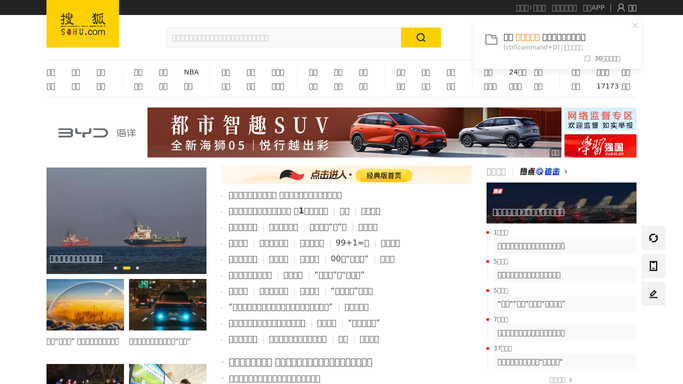
WebRun opens Sohu Mail to find new confirmation emails. - Open Sohu Mail and find new booking, reservation, or appointment confirmations
- Read the date, time, and reference for each
- Skip anything already reconciled on a prior run
Done when Every new confirmation email is listed with its date and time.
-
2
Google Calendar - check for a matching event
calendar.google.com

WebRun opens Google Calendar to check for a matching event. - Check whether a matching event already exists for each confirmation
- Create a calendar event for any confirmation with no match
- Leave existing events untouched
Done when Every new confirmation has a matching Google Calendar event.
-
3
Microsoft Teams - report what was reconciled
microsoft.com

WebRun opens Microsoft Teams to report what was reconciled. - Post a short note listing which confirmations were already on the calendar and which were just added
- Flag any confirmation whose details look inconsistent with its event
- Keep the note to one run per day
Done when Teams has today's reconciliation note.
How is each run configured?
Secure by default
Connect once, stays signed in
WebRun signs in once and keeps each session in a persistent environment, so every run picks up right where it left off.
Every action is checked against this policy before it runs.
Questions, answered
Does it send anything back to whoever sent the confirmation?
No. WebRun only reads your Sohu Mail inbox and updates your own calendar. It never replies to or contacts the sender, and nothing leaves your mailbox on its own.
What counts as a matching event?
It compares the date, time, and reference in the confirmation email against existing calendar events, so a close match is treated as already reconciled.
What if two confirmations conflict?
It flags the conflict in the Teams note instead of guessing which one is correct, so you make the final call.
Related templates
Put this on autopilot.
Turn it on in minutes - or have our team set it up for you.