Track parts on order and alert your team when they arrive
Every morning, WebRun opens CDK Global Parts, checks the status of every open parts order, identifies which have arrived, which are delayed past their ETA, and which are holding a customer vehicle, then posts an urgent-first summary to your parts team on Slack.
- No credit card
- Under $0.01 per run
- Cancel anytime
What does WebRun do on every run?
The exact actions WebRun takes, in order - in plain language, so you can adjust anything.
-
WebRun signs in and gets to work
Opens
www.cdkglobal.comin a real browser with your saved login - no setup, no API keys. -
1
CDK Global - check open parts-order statuses
cdkglobal.com How to Automate CDK Global

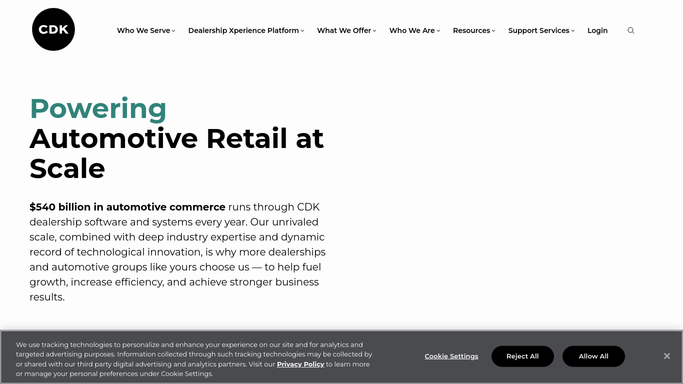
WebRun opens CDK Global to check open parts-order statuses. - Open CDK Global Parts and navigate to Open Purchase Orders
- For each line item, capture the part number, description, supplier, expected delivery date, and current status
- Flag lines where the ETA has passed and the part is still not received, or where the part is on a 'Vehicle on Hold' repair order
Done when All open parts orders are checked with current status, ETA, and any hold flags noted.
-
2
Slack - post parts-status alert to workshop team
slack.com How to Automate Slack
WebRun opens Slack to post parts-status alert to workshop team. - Post the morning parts-status update to #workshop sorted by urgency: 'Vehicle on Hold' first, then late orders, then on-track orders
- Include part number, vehicle, repair order number, and supplier for each flagged line
Done when The parts team has today's priority parts list in Slack with vehicle-on-hold jobs at the top.
-
3
Gmail - draft supplier chase for late orders
gmail.com How to Automate Gmail
WebRun opens Gmail to draft supplier chase for late orders. - For each late order (ETA passed and not received), draft a supplier chase email referencing the purchase order number and original ETA
- Leave all chase emails as drafts for the parts manager to review and send
Done when A supplier-chase draft exists in Gmail for every late parts order, ready for the parts manager to approve.


How can I automatically track parts on order and alert my workshop team when they arrive?
Every morning, WebRun opens CDK Global Parts, checks the status of every open parts order, identifies which have arrived, which are delayed past their ETA, and which are holding a customer vehicle in the workshop, then posts an urgent-first summary to your parts team on Slack - so technicians know immediately what work can move forward.
- Arrived parts are flagged each morning so technicians can start waiting jobs immediately
- Delayed orders are surfaced before they become a surprise, giving time to source alternatives
- Customer vehicles held for parts are visible daily so advisors can proactively communicate wait times
Built for parts managers · service advisors · workshop controllers · dealership operations managers
How is each run configured?
Secure by default
Connect once, stays signed in
WebRun signs in once and keeps each session in a persistent environment, so every run picks up right where it left off.
Every action is checked against this policy before it runs.
Questions, answered
Will it email suppliers without my parts manager checking?
No - supplier chases are saved as Gmail drafts only. The parts manager reviews and sends each one themselves.
What if a part arrived but hasn't been receipted in CDK yet?
The report reflects the CDK system status - if a part isn't receipted it will appear as outstanding. That's a useful nudge to keep CDK up to date.
Can it handle parts ordered from multiple suppliers?
Yes - it reads all open purchase orders regardless of supplier, and groups the Slack report by urgency across all suppliers.
Related templates
Put this on autopilot.
Turn it on in minutes - or have our team set it up for you.