Turn ride cancellations into fast rebooking follow-ups
Every hour, WebRun checks Driver Schedule for rides cancelled since the last check, drafts a rebooking follow-up email to each resident's family contact in Gmail, and posts an alert to Telegram so your coordinator knows which cancellations still need a new ride booked.
- No credit card
- Under $0.01 per run
- Cancel anytime
What does WebRun do on every run?
The exact actions WebRun takes, in order - in plain language, so you can adjust anything.
-
WebRun signs in and gets to work
Opens
app.driverschedule.comin a real browser with your saved login - no setup, no API keys. -
1
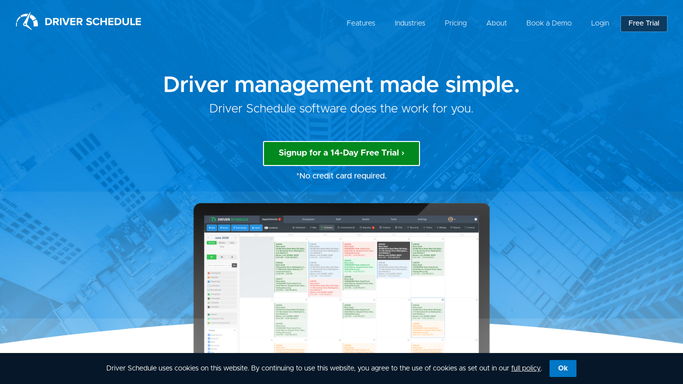
Driver Schedule - find rides cancelled since the last check
driverschedule.com How to Automate Driver Schedule

WebRun opens Driver Schedule to find rides cancelled since the last check. - Check Driver Schedule for rides cancelled since the last check
- Capture the resident, original pickup time, destination, and cancellation reason
- Note whether the appointment itself still needs a ride
Done when Every cancellation since the last check is listed with its details.
-
2
Gmail - draft the rebooking follow-up
gmail.com How to Automate Gmail
WebRun opens Gmail to draft the rebooking follow-up. - Draft a rebooking follow-up email to the family for each cancelled ride tied to a medical appointment
- Suggest the next available pickup window from Driver Schedule
- Leave every draft unsent for the coordinator to review
Done when A drafted, unsent rebooking email exists for every cancellation that still needs a ride.
-
3
Telegram - alert the coordinator
telegram.org How to Automate Telegram
WebRun opens Telegram to alert the coordinator. - Post an alert listing this hour's cancellations to the coordinator channel
- Flag any cancellation tied to a medical appointment that still needs rebooking
- Link to the drafted email waiting for review
Done when The coordinator has an alert for every cancellation, with drafted follow-ups ready to send.


How do I follow up on cancelled senior transportation rides automatically?
WebRun checks Driver Schedule every hour for cancelled rides, and for any tied to a medical appointment, drafts a rebooking follow-up email in Gmail suggesting the next available pickup window. It leaves every draft unsent and posts an alert to Telegram, so your coordinator knows within the hour which cancellations still need a new ride booked, without WebRun contacting a family directly.
- Cancellations tied to medical appointments get a rebooking draft within the hour
- Coordinators see every cancellation in one Telegram alert instead of checking Driver Schedule by hand
- No cancelled appointment ride sits unrebooked overnight
Built for NEMT coordinators · assisted living transportation staff · medical appointment schedulers · paratransit dispatch teams
How is each run configured?
Secure by default
Connect once, stays signed in
WebRun signs in once and keeps each session in a persistent environment, so every run picks up right where it left off.
Every action is checked against this policy before it runs.
Questions, answered
Will it email families to rebook without approval?
No. Every rebooking email is drafted and left unsent in Gmail. Your coordinator reviews and sends it, WebRun never contacts a family directly.
How does it decide a cancellation needs a rebooking follow-up?
It checks whether the cancelled ride was tied to a medical appointment. Non-appointment cancellations, like a resident-requested change, are logged but do not get a rebooking draft.
How quickly does a cancellation get noticed?
Within the hour. It checks Driver Schedule every hour for new cancellations, so a follow-up draft and coordinator alert are ready well before the missed appointment time in most cases.
Related templates
Put this on autopilot.
Turn it on in minutes - or have our team set it up for you.