Turn missed pickups into a next-day call list
Every night after the day's routes wrap up, WebRun opens Driver Schedule, finds every ride marked no-show or missed pickup, logs the resident, driver, and reason to a Google Sheet, and posts a follow-up list to Telegram so your coordinator has tomorrow's call list ready before the office opens.
- No credit card
- Under $0.01 per run
- Cancel anytime
What does WebRun do on every run?
The exact actions WebRun takes, in order - in plain language, so you can adjust anything.
-
WebRun signs in and gets to work
Opens
app.driverschedule.comin a real browser with your saved login - no setup, no API keys. -
1
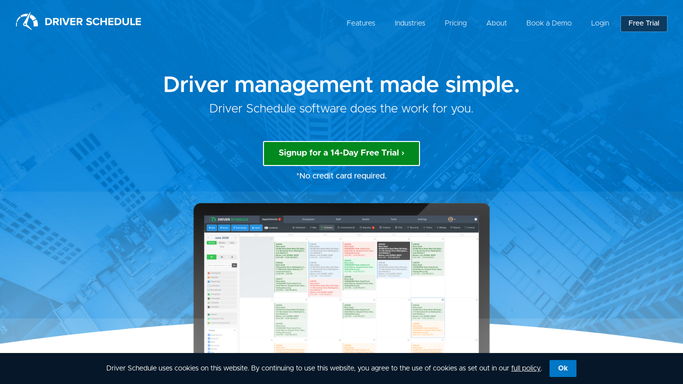
Driver Schedule - find no-shows and missed pickups
driverschedule.com How to Automate Driver Schedule

WebRun opens Driver Schedule to find no-shows and missed pickups. - Open Driver Schedule and pull today's completed routes
- Filter for rides marked no-show, missed pickup, or driver unable to locate
- Capture the resident, driver, scheduled time, and any notes left on the ride
Done when Every no-show or missed pickup from today is listed with its details.
-
2
Google Sheets - log each missed ride
google.com How to Automate Google Sheets
WebRun opens Google Sheets to log each missed ride. - Open the no-show tracking sheet
- Append today's missed rides with resident, driver, time, and reason
- Flag any resident with two or more missed pickups in the past 30 days
Done when Today's missed pickups are logged and repeat patterns are flagged.
-
3
Telegram - send tomorrow's call list
telegram.org How to Automate Telegram
WebRun opens Telegram to send tomorrow's call list. - Post tonight's missed pickup count to the coordinator channel
- List each resident and the reason for the miss
- Call out repeat no-shows so the coordinator can follow up first
Done when The coordinator has tomorrow's call list in Telegram before the day starts.


How do I automatically build a follow-up list for missed senior transportation pickups?
WebRun checks Driver Schedule every night for rides marked no-show or missed pickup, logs the resident, driver, time, and reason to a Google Sheet, and flags anyone with two or more misses in the past 30 days. It then posts a follow-up call list to Telegram, so your coordinator starts the next morning with exactly who to call, instead of scrolling through the day's routes.
- Coordinators start each day with a ready call list instead of digging through routes
- Residents with repeat no-shows are flagged before it becomes a pattern
- No missed pickup gets forgotten overnight
Built for NEMT coordinators · assisted living transportation staff · adult day program schedulers · paratransit operators
How is each run configured?
Secure by default
Connect once, stays signed in
WebRun signs in once and keeps each session in a persistent environment, so every run picks up right where it left off.
Every action is checked against this policy before it runs.
Questions, answered
Will it call or text the families of no-shows automatically?
No. It only builds the list. Your coordinator makes the follow-up call or reschedules the ride, WebRun never contacts a resident or family on its own.
How does it spot a repeat no-show pattern?
It checks each resident's missed pickup history over the past 30 days in the sheet, so anyone with two or more misses is flagged for closer follow-up instead of being treated as a one-off.
Does it distinguish a no-show from a driver running late?
Yes. It only pulls rides Driver Schedule marks as no-show or missed pickup, so a late-running driver who still completed the ride does not show up on the list.
Related templates
Put this on autopilot.
Turn it on in minutes - or have our team set it up for you.