Reconcile driver mileage against your trip log every week
Every Monday, WebRun opens Driver Schedule, pulls every completed trip and its logged mileage from the past week, checks each entry against your QuickBooks mileage reimbursements, logs any mismatch to a Google Sheet, and drafts the correcting entries for your office manager to review before they post.
- No credit card
- Under $0.01 per run
- Cancel anytime
What does WebRun do on every run?
The exact actions WebRun takes, in order - in plain language, so you can adjust anything.
-
WebRun signs in and gets to work
Opens
app.driverschedule.comin a real browser with your saved login - no setup, no API keys. -
1
Driver Schedule - pull completed trips and mileage
driverschedule.com How to Automate Driver Schedule

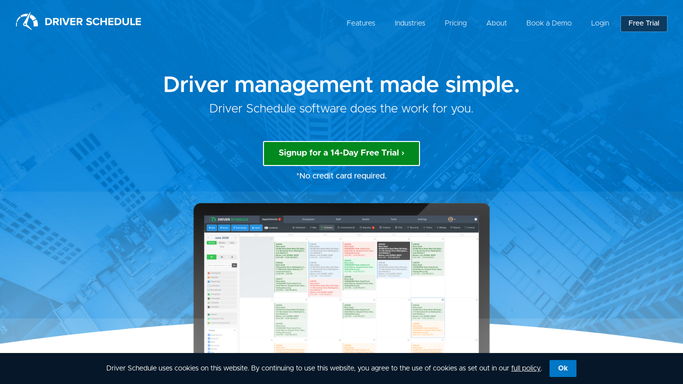
WebRun opens Driver Schedule to pull completed trips and mileage. - Open Driver Schedule and pull every completed trip from the past week
- Capture the driver, vehicle, resident, and logged mileage for each trip
- Note trips with no mileage recorded
Done when Every completed trip from the past week is listed with its logged mileage.
-
2
Google Sheets - log and compare each trip
google.com How to Automate Google Sheets
WebRun opens Google Sheets to log and compare each trip. - Open the mileage reconciliation sheet
- Match each Driver Schedule trip against its QuickBooks reimbursement entry
- Flag trips with a mileage mismatch or no matching entry at all
Done when Every trip is matched or flagged, with mismatches called out by amount.
-
3
QuickBooks Online - draft correcting entries
- Draft a correcting entry for each flagged mismatch
- Leave every draft unposted
- Do not adjust any reimbursement without the office manager's approval
Done when A correcting entry is drafted for every flagged mismatch, none of it posted yet.

How do I reconcile driver mileage against reimbursements automatically?
WebRun pulls every completed trip and its logged mileage from Driver Schedule each Monday, matches each one against your QuickBooks reimbursement entries in a Google Sheet, and flags any mismatch or missing entry. It then drafts a correcting entry in QuickBooks for every flagged trip and leaves it unposted, so your office manager reviews and approves every mileage correction before it changes a reimbursement.
- Every trip's mileage is checked against its reimbursement every week, not just at audit time
- Mismatches are caught and drafted for correction before they compound
- Office managers approve every change instead of QuickBooks updating on its own
Built for NEMT office managers · transportation bookkeepers · assisted living finance staff · fleet administrators
How is each run configured?
Secure by default
Connect once, stays signed in
WebRun signs in once and keeps each session in a persistent environment, so every run picks up right where it left off.
Every action is checked against this policy before it runs.
Questions, answered
Does it change reimbursement amounts in QuickBooks on its own?
No. It only drafts a correcting entry for each mismatch and leaves it unposted. Your office manager reviews and posts it, nothing changes in QuickBooks without that approval.
What counts as a mileage mismatch?
Any completed trip in Driver Schedule whose logged mileage does not match its QuickBooks reimbursement entry, or any trip with no matching entry at all.
What if a driver forgot to log mileage for a trip?
The trip is flagged as missing mileage in the sheet so your office manager can follow up with the driver before that trip is reconciled or reimbursed.
Related templates
Put this on autopilot.
Turn it on in minutes - or have our team set it up for you.