Keep medication carts stocked with timely reorder reminders
Every morning, WebRun opens Eldermark, scans the eMAR for medications approaching their reorder threshold across all residents, drafts a reorder request email to the pharmacy partner for the charge nurse to approve, and posts a low-stock summary to the nursing Slack channel.
- No credit card
- Under $0.01 per run
- Cancel anytime
What does WebRun do on every run?
The exact actions WebRun takes, in order - in plain language, so you can adjust anything.
-
WebRun signs in and gets to work
Opens
www.eldermark.comin a real browser with your saved login - no setup, no API keys. -
1
Eldermark - scan eMAR for low-stock medications
eldermark.com

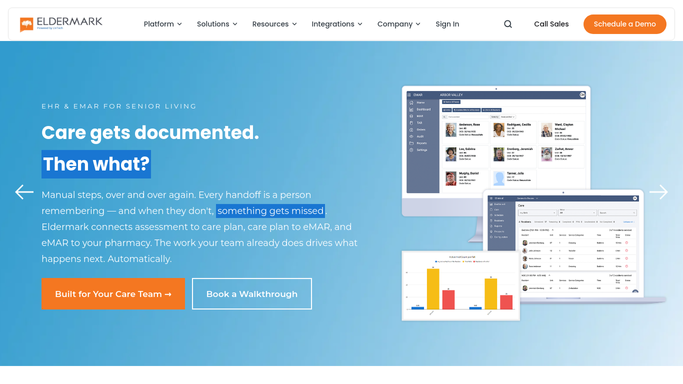
WebRun opens Eldermark to scan eMAR for low-stock medications. - Open Eldermark and navigate to the eMAR medication management section
- Review current stock levels against each resident's scheduled administration frequency
- Flag medications with fewer than a three-day supply remaining based on administration records
- Capture the medication name, resident, prescribing physician, current stock count, and pharmacy on file
Done when Every low-stock medication is listed with resident, stock level, and pharmacy details.
-
2
Gmail - draft reorder request for pharmacy
gmail.com How to Automate Gmail
WebRun opens Gmail to draft reorder request for pharmacy. - Draft a reorder request email addressed to the pharmacy listing each low-stock medication with the resident name and quantity needed
- Group items by pharmacy so one email goes per pharmacy partner
- Save each email as a Gmail draft, not sent, for the charge nurse to review and approve
Done when A pharmacy reorder draft email is saved in Gmail for each pharmacy with pending items.
-
3
Slack - alert nursing team
slack.com How to Automate Slack
WebRun opens Slack to alert nursing team. - Post a low-stock summary to the nursing Slack channel listing each flagged medication and the resident it belongs to
- Note which items have a draft reorder already waiting in Gmail
- Flag any medication with less than a one-day supply as urgent
Done when The nursing team has a Slack summary of all low-stock items and knows which drafts need approval.


How do I automate medication cart reorder reminders in a senior living community?
WebRun scans the Eldermark eMAR each morning for medications with less than a three-day supply remaining across all residents, drafts a grouped reorder email per pharmacy in Gmail for the charge nurse to approve, and posts a low-stock summary to the nursing Slack channel so no cart runs dry and no reorder slips through without human sign-off.
- Low-stock medications are flagged before carts run out, not after
- Reorder drafts are grouped by pharmacy and waiting in Gmail every morning
- No reorder reaches the pharmacy without a charge nurse reviewing and approving it
Built for assisted living charge nurses · memory care nursing teams · senior living clinical directors · long-term care medication coordinators
How is each run configured?
Secure by default
Connect once, stays signed in
WebRun signs in once and keeps each session in a persistent environment, so every run picks up right where it left off.
Every action is checked against this policy before it runs.
Questions, answered
Will it send the reorder email to the pharmacy without staff approval?
No. Every reorder request is saved as a Gmail draft. The charge nurse opens it, confirms the quantities, and sends it themselves. Nothing reaches the pharmacy without explicit nursing approval.
How does it know when a medication is running low?
It reads the current stock count in Eldermark's eMAR and compares it to the resident's scheduled administration frequency to estimate days of supply remaining. Anything below three days is flagged.
What if a medication was already reordered by staff earlier in the day?
WebRun reads the live stock level in Eldermark each morning. If stock was updated since the last run, the item is not flagged again. Running daily keeps the list current without duplicates.
Related templates
Put this on autopilot.
Turn it on in minutes - or have our team set it up for you.