Start every shift with a site-readiness briefing
Every morning, WebRun opens Newbook, pulls the day's arrivals and site assignments, cross-checks which sites are still occupied or need servicing, and posts a prioritised site-readiness briefing to your Slack channel so housekeeping and front desk are aligned before the first guest arrives.
- No credit card
- Under $0.01 per run
- Cancel anytime
What does WebRun do on every run?
The exact actions WebRun takes, in order - in plain language, so you can adjust anything.
-
WebRun signs in and gets to work
Opens
app.newbook.cloudin a real browser with your saved login - no setup, no API keys. -
1
Newbook - pull today's arrivals and site status
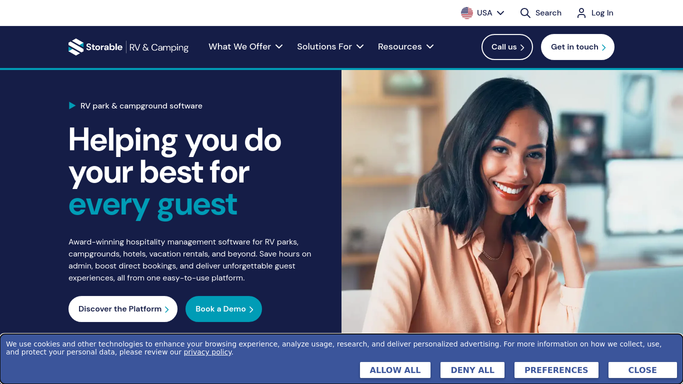
newbook.cloud How to Automate Newbook

WebRun opens Newbook to pull today's arrivals and site status. - Open Newbook and navigate to the arrivals dashboard for today
- Capture each arriving guest's name, expected arrival time, assigned site number, and any special requests or add-ons
- Identify sites marked as occupied, due for checkout, or flagged for maintenance
- Sort arrivals by expected arrival time to set priority order
Done when Today's full arrivals list is compiled with site numbers, timing, and any flags noted.
-
2
Slack - post the site-readiness digest
slack.com How to Automate Slack
WebRun opens Slack to post the site-readiness digest. - Post the site-readiness digest to the operations Slack channel
- List arrivals in order of expected arrival time, noting site number, any special requests, and current site status
- Flag sites that are still occupied or need maintenance at the top of the list
Done when Housekeeping and front desk have today's prioritised arrivals digest in Slack before 8 AM.

How do I give my campground team a daily arrivals and site-readiness briefing automatically?
WebRun opens Newbook every morning before the first shift, pulls the day's arrivals and site assignments, and posts a prioritised site-readiness digest to your Slack operations channel. Housekeeping and front desk see every arriving guest, their site, expected arrival time, and any flags, before a single guest checks in.
- Every team member starts the shift knowing exactly which sites need attention
- No arriving guest is assigned to an unready site
- Managers skip the morning Newbook check-in to compile the briefing manually
Built for RV park operators · campground operations managers · housekeeping teams · front-desk staff
How is each run configured?
Secure by default
Connect once, stays signed in
WebRun signs in once and keeps each session in a persistent environment, so every run picks up right where it left off.
Every action is checked against this policy before it runs.
Questions, answered
Does it contact guests or change anything in Newbook?
No. WebRun is read-only in Newbook. It only reads the arrivals data and posts the digest to your internal Slack channel. No guest-facing action is taken.
What if a guest's arrival time is not set in Newbook?
WebRun groups those guests at the end of the digest under a 'time not confirmed' section so your team is still aware and can follow up.
Can it post to different Slack channels for housekeeping and front desk?
Yes. Configure two delivery channels in your WebRun settings and the digest posts to both, or post a single combined briefing to a shared operations channel.
Related templates
Put this on autopilot.
Turn it on in minutes - or have our team set it up for you.