Get a clear picture of your herd every Monday morning
Every Monday, WebRun opens CattleMax, retrieves a full herd inventory broken down by category (cows, bulls, heifers, steers, and calves), compares the current count to last week to flag any unexpected changes, logs the results to a Google Sheet for historical tracking, and posts a concise inventory digest to your ranch Slack channel.
- No credit card
- Under $0.01 per run
- Cancel anytime
What does WebRun do on every run?
The exact actions WebRun takes, in order - in plain language, so you can adjust anything.
-
WebRun signs in and gets to work
Opens
www.cattlemax.comin a real browser with your saved login - no setup, no API keys. -
1
CattleMax - retrieve herd inventory by category
cattlemax.com How to Automate CattleMax

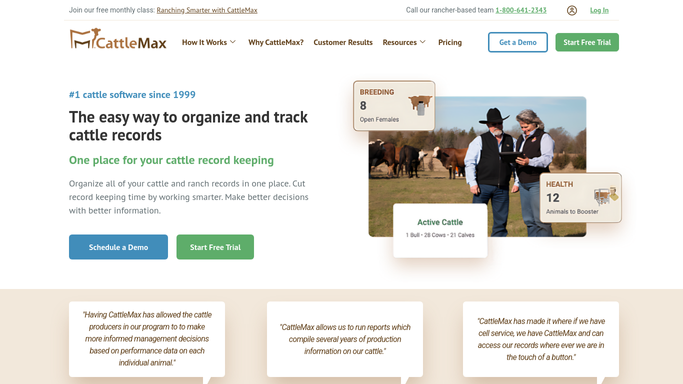
WebRun opens CattleMax to retrieve herd inventory by category. - Open CattleMax and navigate to the Inventory or Reports section
- Retrieve current head count broken down by category: cows, bulls, replacement heifers, stocker steers, and calves
- Capture counts by pasture or location if configured
- Note any animals added or removed since the last run (purchases, sales, deaths, births)
Done when Full current herd inventory by category and location is captured.
-
2
Google Sheets - log inventory and calculate week-over-week changes
google.com How to Automate Google Sheets
WebRun opens Google Sheets to log inventory and calculate week-over-week changes. - Open the weekly herd inventory tracking spreadsheet
- Append this week's counts alongside the prior week's counts for each category
- Calculate the week-over-week change for each category
- Flag any category with an unexpected or unexplained change of more than 5 percent
Done when Weekly inventory is logged with week-over-week changes and unexpected variances flagged.
-
3
Slack - post weekly herd inventory digest
slack.com How to Automate Slack
WebRun opens Slack to post weekly herd inventory digest. - Post the weekly herd inventory digest to the ranch operations Slack channel
- Lead with the total head count and any flagged variances
- Include a category breakdown table showing current count and change from last week
- Note any additions or removals logged in CattleMax this week
Done when Ranch team has the weekly herd inventory digest in Slack.


How do I get an automatic weekly cattle herd inventory report?
Every Monday, WebRun opens CattleMax and retrieves a full herd count broken down by category. It compares the current numbers to the prior week, flags any unexpected changes, logs the results to Google Sheets for a rolling history, and posts a concise inventory digest to your ranch Slack channel so your whole team starts the week with the same picture.
- Full herd count with category breakdown delivered to Slack every Monday without manual pulling
- Week-over-week variances flagged before they become unexplained shrinkage
- Rolling inventory history maintained in Google Sheets for lender, insurer, or year-end review
Built for cattle ranchers · ranch managers · cow-calf producers · stocker operators
How is each run configured?
Secure by default
Connect once, stays signed in
WebRun signs in once and keeps each session in a persistent environment, so every run picks up right where it left off.
Every action is checked against this policy before it runs.
Questions, answered
What categories does it break the inventory down by?
It uses the categories in your CattleMax setup: typically cows, bulls, replacement heifers, stocker steers, and calves. The report mirrors however you have your herd categorized in CattleMax.
What triggers a flagged variance?
Any category showing more than a 5 percent change week over week is flagged unless the change is explained by a logged purchase, sale, birth, or death event. The threshold is adjustable.
Can I use this report for a lender or insurance audit?
The weekly logs in Google Sheets build a dated inventory history you can export for lenders or insurers. The report itself is an internal digest and not formatted as a formal certified count.
Related templates
Put this on autopilot.
Turn it on in minutes - or have our team set it up for you.