Stay ahead of every vaccination and treatment due date
Every morning, WebRun opens CattleMax, finds every animal with a vaccination or treatment due within the next 14 days, logs the list to a Google Sheet, posts an internal Slack alert to your ranch team, and drafts any required vet or supplier emails for your review before sending.
- No credit card
- Under $0.01 per run
- Cancel anytime
What does WebRun do on every run?
The exact actions WebRun takes, in order - in plain language, so you can adjust anything.
-
WebRun signs in and gets to work
Opens
www.cattlemax.comin a real browser with your saved login - no setup, no API keys. -
1
CattleMax - find upcoming vaccinations and treatments
cattlemax.com How to Automate CattleMax

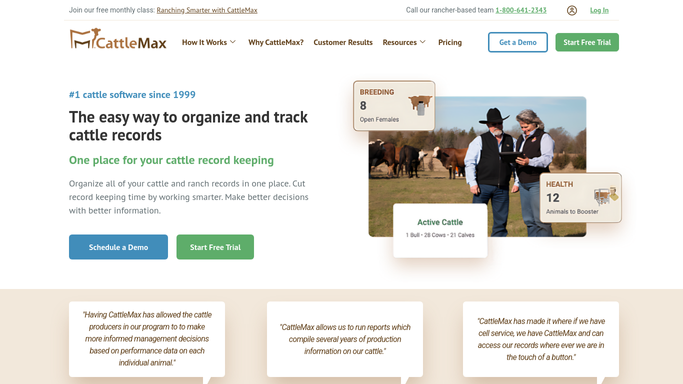
WebRun opens CattleMax to find upcoming vaccinations and treatments. - Open CattleMax and navigate to the Health section
- Filter animals by vaccination or treatment due date within the next 14 days
- Capture each animal's tag number, breed, weight, and the specific treatment or vaccine required
- Note any animals that are overdue and flag them with high priority
Done when Every animal with a vaccination or treatment due in the next 14 days is listed with full details.
-
2
Google Sheets - log due dates and animal details
google.com How to Automate Google Sheets
WebRun opens Google Sheets to log due dates and animal details. - Open the ranch health tracking spreadsheet
- Append today's due-date list with animal tag, treatment type, due date, and priority flag
- Mark any rows that have already been completed since the last run
Done when The health tracking sheet is updated with today's due-date list.
-
3
Slack - alert ranch team internally
slack.com How to Automate Slack
WebRun opens Slack to alert ranch team internally. - Post a summary to the ranch operations Slack channel
- List animals due this week first, then upcoming ones by date
- Flag any overdue animals with a high-priority note
Done when Ranch team has today's vaccination and treatment alert in Slack.
-
4
Gmail - draft vet or supplier messages for review
gmail.com How to Automate Gmail
WebRun opens Gmail to draft vet or supplier messages for review. - Draft any required vet scheduling or supplier order emails based on the due list
- Leave all drafts unsent for a human to review and approve before sending
- Include animal tag numbers, treatment details, and preferred scheduling window in each draft
Done when Vet and supplier email drafts are ready for review, not yet sent.



How do I get automatic reminders for cattle vaccinations and treatments?
Every morning, WebRun checks CattleMax for animals with vaccinations or treatments due in the next 14 days, logs the list to Google Sheets, and posts a ranked alert to your Slack channel. Any required vet or supplier emails are drafted in Gmail and held for your approval before anything is sent.
- No vaccination or treatment due date slips through unnoticed
- Ranch team gets a prioritized health action list every morning
- Vet communications are drafted and queued for human approval before sending
Built for cattle ranchers · livestock operations managers · feedlot managers · ranch foremen
How is each run configured?
Secure by default
Connect once, stays signed in
WebRun signs in once and keeps each session in a persistent environment, so every run picks up right where it left off.
Every action is checked against this policy before it runs.
Questions, answered
Will it send emails to the vet without my approval?
No. All external emails are drafted in Gmail and left unsent for your review. Nothing goes to the vet or any supplier until you read and approve the draft yourself.
How far ahead does it look for upcoming treatments?
It defaults to a 14-day window so you have enough lead time to schedule a vet visit or order supplies. You can adjust the look-ahead window when you set up the workflow.
What if an animal was already treated since the last run?
WebRun reads the live health records in CattleMax each morning, so animals whose treatment has been logged as completed are automatically skipped.
Related templates
Put this on autopilot.
Turn it on in minutes - or have our team set it up for you.