Schedule pregnancy checks before the window closes
Every Monday, WebRun opens CattleMax and identifies cows bred 28 to 45 days ago that are ready for a pregnancy check, logs the list to a Google Sheet, and drafts a scheduling email to your veterinarian in Gmail for your review. A Slack message tells you the draft is waiting so you can approve or adjust it before it is sent.
- No credit card
- Under $0.01 per run
- Cancel anytime
What does WebRun do on every run?
The exact actions WebRun takes, in order - in plain language, so you can adjust anything.
-
WebRun signs in and gets to work
Opens
www.cattlemax.comin a real browser with your saved login - no setup, no API keys. -
1
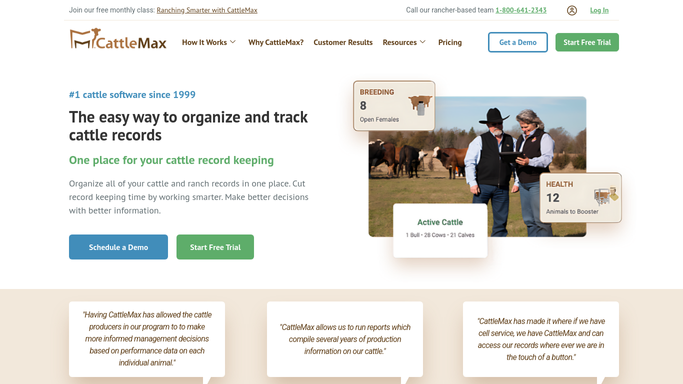
CattleMax - identify cows ready for pregnancy check
cattlemax.com How to Automate CattleMax

WebRun opens CattleMax to identify cows ready for pregnancy check. - Open CattleMax and navigate to the Reproduction section
- Filter for cows with a breeding date between 28 and 45 days ago
- Capture each animal's tag number, breed, breeding date, sire, and current location
- Note cows that missed the previous preg-check window and are overdue
Done when All cows in the optimal pregnancy check window are identified with full details.
-
2
Google Sheets - log animals due for preg check
google.com How to Automate Google Sheets
WebRun opens Google Sheets to log animals due for preg check. - Open the pregnancy check tracking spreadsheet
- Append this week's list of animals due for a preg check with tag numbers, breeding dates, and locations
- Mark any animals whose check was completed since the last run
Done when The pregnancy check log is updated with this week's due animals.
-
3
Gmail - draft vet scheduling request for review
gmail.com How to Automate Gmail
WebRun opens Gmail to draft vet scheduling request for review. - Draft a scheduling email to the veterinarian requesting a farm visit
- Include the number of animals to check, their locations, and a preferred date range
- List the individual tag numbers and breeding dates in the email body
- Leave the draft unsent for the ranch manager to review and approve before sending
Done when A vet scheduling draft is in Gmail, unsent, ready for review.
-
4
Slack - notify ranch manager that draft is waiting
slack.com How to Automate Slack
WebRun opens Slack to notify ranch manager that draft is waiting. - Post a Slack message to the ranch manager notifying them the preg-check list and vet email draft are ready
- Include the count of animals ready for checking and the earliest available preferred date
- Remind the manager to review the Gmail draft before the scheduling window closes
Done when Ranch manager is notified in Slack that the scheduling draft is waiting for approval.



How do I automate pregnancy check scheduling for my cow herd?
Every Monday, WebRun opens CattleMax and finds cows bred 28 to 45 days ago that are ready for a pregnancy check. It logs the list to Google Sheets, drafts a vet scheduling email in Gmail with all the animal details, and notifies you in Slack so you can review and send the draft before the optimal check window passes.
- Pregnancy check window tracked automatically from breeding records so no cow is missed
- Vet scheduling draft ready for one-click approval every Monday morning
- Open cows identified early so they can be managed or re-bred in the next cycle
Built for cow-calf producers · cattle ranchers · ranch managers · livestock reproduction coordinators
How is each run configured?
Secure by default
Connect once, stays signed in
WebRun signs in once and keeps each session in a persistent environment, so every run picks up right where it left off.
Every action is checked against this policy before it runs.
Questions, answered
Will it email my vet directly without my approval?
No. The scheduling email is drafted in Gmail and left unsent. It reaches your vet only after you open the draft, confirm the details, and send it yourself.
What is the optimal window for a pregnancy check?
Most operations check cows bred 28 to 45 days ago, when ultrasound or rectal palpation can reliably confirm pregnancy. WebRun defaults to this range, but you can adjust the window in the setup.
What happens to cows that come back open after a check?
Once you log the results in CattleMax, WebRun will pick those open cows up in the next breeding cycle run and include them in future breeding window and preg-check tracking.
Related templates
Put this on autopilot.
Turn it on in minutes - or have our team set it up for you.