Chase your missing Rakuten cashback for you
Every Monday, WebRun opens Rakuten, checks recent purchases for cashback that never tracked, logs each one to an Airtable worklist with the expected amount, and drafts a missing cashback claim email for the account holder to review and submit, so earned cashback is not left on the table.
- No credit card
- Under $0.01 per run
- Cancel anytime
How do I find and claim missing Rakuten cashback?
WebRun checks recent Rakuten purchases every Monday for cashback that never tracked, logs each one to an Airtable worklist with the expected amount, and drafts a missing cashback claim for the account holder to review and submit. This keeps earned cashback from being quietly lost to a tracking gap.
- Untracked cashback gets caught and drafted for claim every week
- A running worklist replaces manually rechecking old purchases
- Nothing is submitted to Rakuten without a human review
Built for frequent Rakuten shoppers · cashback reward trackers · household finance admins · online shopping optimizers
What does WebRun do on every run?
The exact actions WebRun takes, in order - in plain language, so you can adjust anything.
-
WebRun signs in and gets to work
Opens
rakuten.comin a real browser with your saved login - no setup, no API keys. -
1
Rakuten Rewards - check tracked cashback
rakuten.com
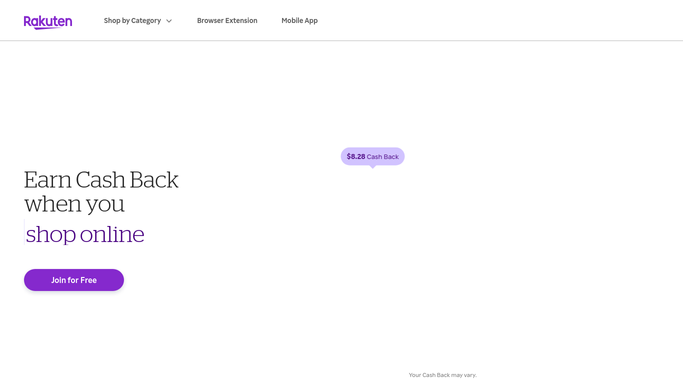
WebRun opens Rakuten Rewards to check tracked cashback. - Open Rakuten and go to the account's cashback activity
- Check each recent purchase for whether cashback was tracked
- Flag any purchase past the expected tracking window with no cashback recorded
Done when Every recent purchase is checked for tracked cashback, with untracked ones flagged.
-
2
Airtable - log the missing cashback worklist
airtable.com How to Automate Airtable

WebRun opens Airtable to log the missing cashback worklist. - Open the Rakuten Cashback base in Airtable
- Add a row for each untracked purchase with the store, date, and expected amount
- Mark a row resolved once cashback appears on a later check
Done when Every untracked purchase is logged with its expected cashback amount.
-
3
Gmail - draft the missing cashback claim
gmail.com How to Automate Gmail

WebRun opens Gmail to draft the missing cashback claim. - Draft a missing cashback claim email for each untracked purchase using the order details
- Leave every draft in the account holder's Gmail drafts folder for review
- Never submit a claim without the account holder's approval
Done when A draft claim is ready for review for every untracked purchase.
How is each run configured?
Secure by default
Connect once, stays signed in
WebRun signs in once and keeps each session in a persistent environment, so every run picks up right where it left off.
Every action is checked against this policy before it runs.
Questions, answered
Will it submit the cashback claim for me?
No. WebRun drafts the claim with the purchase details filled in, but submitting it is left for the account holder to review and send.
How long does it wait before flagging a purchase?
It only flags a purchase once it is past Rakuten's normal tracking window, so it does not chase cashback that simply has not posted yet.
What happens once cashback shows up later?
It checks tracked cashback again on the next run, so a purchase that posts on its own gets marked resolved instead of chased twice.
Related templates
Put this on autopilot.
Turn it on in minutes - or have our team set it up for you.