Automated Rakuten Ichiba Order Export
Every Monday, WebRun opens your Rakuten Ichiba store, exports the past week's orders with item, price, and status into Google Sheets, and checks Gmail for the store's payout notification so you can see both the order detail and the confirmed payout together without switching between systems.
How do I export my Rakuten Ichiba orders to a spreadsheet automatically?
WebRun exports your Rakuten Ichiba store's orders to Google Sheets every Monday, with the item, price, and status for each one from the past week. It also checks Gmail for that week's payout notification and logs the confirmed amount alongside the orders, so the order detail and the payout sit in one spreadsheet.
- A full order export lands in Sheets every week without manual downloading
- Payout confirmation sits next to the orders it covers
- Orders still awaiting shipment are never left out of the count
Built for Rakuten Ichiba sellers · Japan market ecommerce teams · cross border sellers · small retail businesses
What does WebRun do on every run?
The exact actions WebRun takes, in order - in plain language, so you can adjust anything.
-
WebRun signs in and gets to work
Opens
rakuten.co.jpin a real browser with your saved login - no setup, no API keys. -
1
Rakuten - export the week's orders
rakuten.co.jp
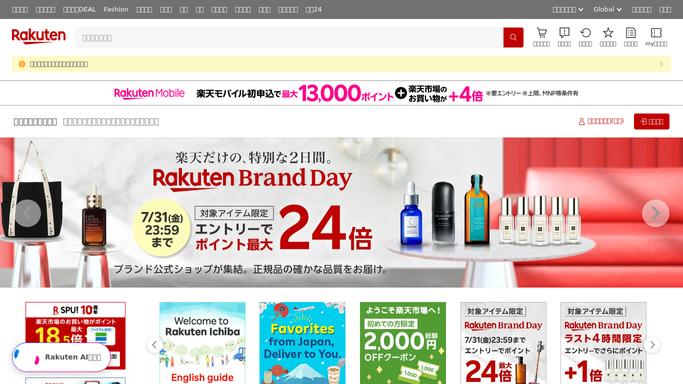
WebRun opens Rakuten to export the week's orders. - Open your Rakuten Ichiba store and list every order from the last 7 days
- Note the item, price, and current status for each
- Include any order still awaiting shipment
Done when Every order from the last 7 days has been listed.
-
2
Google Sheets - log the order export
google.com

WebRun opens Google Sheets to log the order export. - Append a row for each order with the item, price, and status
- Group rows under this week's date
- Recalculate the week's total revenue at the top of the sheet
Done when This week's orders are fully logged in the sheet.
-
3
Gmail - find the payout notification
gmail.com

WebRun opens Gmail to find the payout notification. - Search Gmail for this week's Rakuten payout notification
- Note the payout amount and date
- Add the payout figure to the top of this week's rows in the sheet
Done when This week's payout notification has been found and logged alongside the order export.
How is each run configured?
Secure by default
Connect once, stays signed in
WebRun signs in once and keeps each session in a persistent environment, so every run picks up right where it left off.
Every action is checked against this policy before it runs.
Questions, answered
Will it categorize the orders for accounting?
No. WebRun exports the raw order detail and the payout figure. Categorizing them for your books is still your bookkeeper's job.
What if the payout email hasn't arrived by the time it runs?
The order export still happens on schedule. The payout figure is added as soon as the email arrives, on the next run if needed.
Does it include orders still awaiting shipment?
Yes. Every order placed in the last 7 days is included, whether it's already shipped or still waiting, so the export matches what Rakuten actually shows.
Related templates
Put this on autopilot.
Turn it on in minutes - or have our team set it up for you.