Polish drafts with QuillBot before handoff
Every morning, WebRun opens Airtable, finds drafts marked Ready for polish, runs each one through QuillBot's grammar and paraphrase check, pastes the cleaned copy into a Notion review page, and marks the Airtable record Polished.
- No credit card
- Under $0.01 per run
- Cancel anytime
What does WebRun do on every run?
The exact actions WebRun takes, in order - in plain language, so you can adjust anything.
-
WebRun signs in and gets to work
Opens
quillbot.comin a real browser with your saved login - no setup, no API keys. -
1
Airtable - find drafts ready for polish
airtable.com How to Automate Airtable

WebRun opens Airtable to find drafts ready for polish. - Open the content base and filter to Ready for polish
- Capture the draft text and its owner for each record
- Skip anything already marked Polished
Done when Every ready draft is queued with its text and owner.
-
2
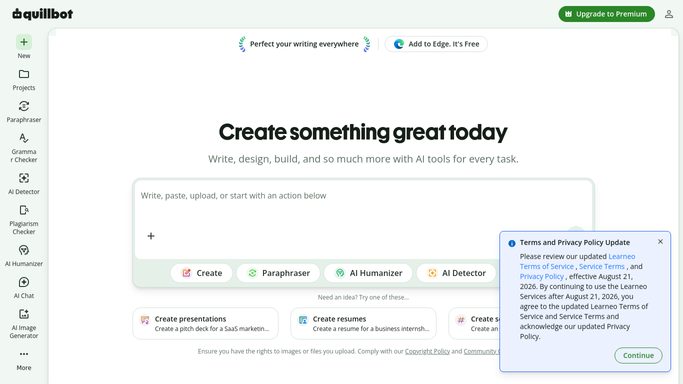
QuillBot - clean up grammar and phrasing
quillbot.com
WebRun cleans up grammar and phrasing in QuillBot. - Run each draft through QuillBot's grammar check
- Apply the paraphraser to tighten awkward sentences
- Keep the original meaning and facts intact
Done when Every queued draft has a cleaned version.
-
3
Notion - hand off for review
notion.so How to Automate Notion
WebRun hands the polished draft off for review in Notion. - Paste the polished draft into the team's review page
- Tag the original owner for final sign-off
- Mark the Airtable record Polished once it's posted
Done when The polished draft is waiting in Notion for the owner's review.


How do I automatically polish drafts before handing them off for review?
WebRun checks Airtable each morning for drafts marked Ready for polish, runs each through QuillBot's grammar and paraphrase check, and pastes the cleaned copy into a Notion page for the owner's review. The Airtable record is marked Polished automatically, so writers hand off clean copy without a manual editing pass.
- Writers get clean copy waiting in Notion, not a raw draft
- Grammar and phrasing get checked before an editor ever opens the file
- Nothing marked ready sits untouched overnight
Built for Content teams · marketing writers · editors · small agencies
How is each run configured?
Secure by default
Connect once, stays signed in
WebRun signs in once and keeps each session in a persistent environment, so every run picks up right where it left off.
Every action is checked against this policy before it runs.
Questions, answered
Does it publish the polished draft anywhere public?
No. WebRun only pastes the polished draft into your internal Notion page for review. Publishing it anywhere public stays a manual step.
Will QuillBot change the facts or meaning of my draft?
No. It only tightens grammar and phrasing. Facts, numbers, and claims from the original draft are left untouched.
What if a draft isn't ready yet?
It skips any Airtable record not marked Ready for polish, so half-finished drafts are left alone until you flag them.
Related templates
Put this on autopilot.
Turn it on in minutes - or have our team set it up for you.