See which promos actually earned their keep
Every Monday, WebRun opens Qashier, pulls every promotion and discount that ran last week, tallies redemptions and the revenue they brought in against a normal week, logs the comparison to a Google Sheet, and sends the owner a WhatsApp report on which promos earned their keep.
- No credit card
- Under $0.01 per run
- Cancel anytime
What does WebRun do on every run?
The exact actions WebRun takes, in order - in plain language, so you can adjust anything.
-
WebRun signs in and gets to work
Opens
hq.qashier.comin a real browser with your saved login - no setup, no API keys. -
1
Qashier - pull last week's promo redemptions and revenue
qashier.com How to Automate Qashier

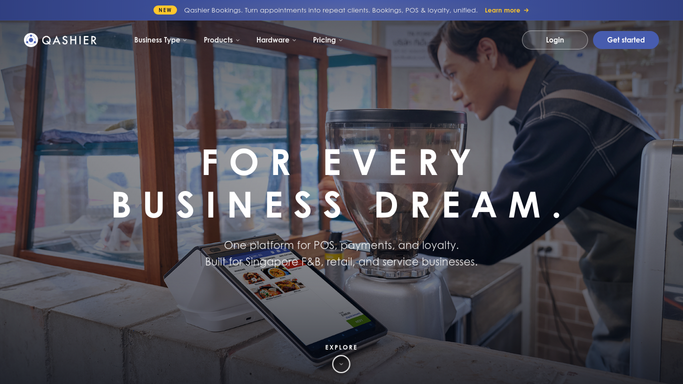
WebRun opens Qashier to pull last week's promo redemptions and revenue. - Open Qashier and list every promotion or discount active last week
- Pull the redemption count and total discount value for each
- Compare the revenue on promo days against a normal trading day
Done when Every active promotion last week has a redemption count and a revenue comparison.
-
2
Google Sheets - log performance by promo
google.com How to Automate Google Sheets
WebRun opens Google Sheets to log performance by promo. - Log each promo with its redemption count, discount value, and revenue lift
- Rank promos from strongest to weakest by net revenue impact
- Update the running comparison so the same promo can be tracked over time
Done when Every promo is logged and ranked by its actual revenue impact.
-
3
WhatsApp - send the owner the performance report
whatsapp.com How to Automate WhatsApp
WebRun opens WhatsApp to send the owner the performance report. - Format the ranked promo results into a short report
- Send it to the owner's WhatsApp on Monday morning
- Flag any promo that cost more in discounts than it brought in
Done when The owner has this week's promo performance report on WhatsApp.


How do I find out which Qashier promotions actually make money?
WebRun scores every Qashier promotion for you each week. It pulls last week's redemptions and discount totals, compares revenue on promo days against a normal trading day, logs the ranked results to a Google Sheet, and sends the owner a WhatsApp report every Monday flagging any promo that cost more than it earned.
- Loss-making promos flagged before they run another week
- Every promo ranked by actual revenue impact, not just redemption count
- Owner gets Monday's promo verdict on WhatsApp without pulling a single report
Built for retail marketing owners · F&B promo managers · multi-outlet retailers · small business owners running promotions
How is each run configured?
Secure by default
Connect once, stays signed in
WebRun signs in once and keeps each session in a persistent environment, so every run picks up right where it left off.
Every action is checked against this policy before it runs.
Questions, answered
How does it measure whether a promo worked?
It compares total revenue on the days a promo ran against a normal trading day, and weighs that against the discount given, so a busy but low margin promo doesn't look better than it is.
Will it turn off a losing promo automatically?
No. It only flags a promo that cost more in discounts than it earned. Turning a promo off or adjusting it stays your decision in Qashier.
Can it compare the same promo across multiple weeks?
Yes. The Google Sheet keeps a running log by promo, so you can see whether a recurring promo is improving or fading over time.
Related templates
Put this on autopilot.
Turn it on in minutes - or have our team set it up for you.