Get warned before ingredients run out
Every morning, WebRun checks ingredient stock levels in Poster against the par levels you set, logs any ingredient below par to a Google Sheet, and pings Telegram with what needs reordering today.
- No credit card
- Under $0.01 per run
- Cancel anytime
What does WebRun do on every run?
The exact actions WebRun takes, in order - in plain language, so you can adjust anything.
-
WebRun signs in and gets to work
Opens
joinposter.comin a real browser with your saved login - no setup, no API keys. -
1
Poster - check ingredient stock vs par levels
joinposter.com How to Automate Poster

WebRun opens Poster to check ingredient stock vs par levels. - Open Poster's Storage and pull current stock for every ingredient
- Compare each ingredient's stock to the par level you've set
- List every ingredient currently below its par level
Done when Every ingredient below par level has been identified with its current stock.
-
2
Google Sheets - log ingredients below par
google.com How to Automate Google Sheets
WebRun opens Google Sheets to log ingredients below par. - Open the ingredient shortfall log
- Add a row for each ingredient below par with current stock, par level, and the gap
- Mark any ingredient that's been below par for more than one run
Done when Today's shortfalls are logged with the gap to par level.
-
3
Telegram - alert what to reorder
telegram.org How to Automate Telegram
WebRun opens Telegram to alert what to reorder. - Send a message listing every ingredient below par and how much is needed to reach par
- Flag anything that's been low for more than a day
- Keep the message short enough to action from a phone
Done when The shift manager has today's reorder list in Telegram.
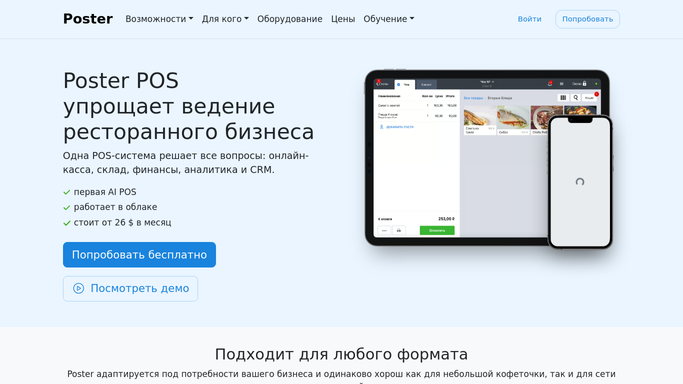


How do I get alerted before ingredients run low in Poster?
WebRun checks your Poster ingredient stock against the par level you set for each item every morning. Anything below par gets logged to a Google Sheet, and Telegram gets a message listing what to reorder today, so shortages get caught before they interrupt service.
- Ingredients get reordered before they hit zero, not after
- Every ingredient is checked against its own par level every morning
- Shortfalls are logged to a Sheet you can review anytime
Built for cafe managers · kitchen managers · bar managers · cafe owners
How is each run configured?
Secure by default
Connect once, stays signed in
WebRun signs in once and keeps each session in a persistent environment, so every run picks up right where it left off.
Every action is checked against this policy before it runs.
Questions, answered
Will it reorder ingredients on its own?
No. WebRun only flags what's below par level. It never places an order or contacts a supplier itself. It logs the shortfall and pings Telegram so a person decides what to reorder.
How do you know what counts as low?
It compares live Poster stock levels against the par level you set for each ingredient, so the threshold is entirely yours, not a generic default.
What if I haven't set a par level for an ingredient?
That ingredient is skipped, not flagged as low. The alert only covers ingredients you've configured a threshold for.
Related templates
Put this on autopilot.
Turn it on in minutes - or have our team set it up for you.