Catch product sync mismatches before customers see wrong prices or stock
Every morning, WebRun opens Printful, reads the current price, variant list, and availability for each synced product, compares them to what is live in your connected store, and logs any discrepancy to Google Sheets with a Slack alert so your team can fix mismatches before customers encounter incorrect information.
- No credit card
- Under $0.01 per run
- Cancel anytime
What does WebRun do on every run?
The exact actions WebRun takes, in order - in plain language, so you can adjust anything.
-
WebRun signs in and gets to work
Opens
www.printful.com/dashboardin a real browser with your saved login - no setup, no API keys. -
1
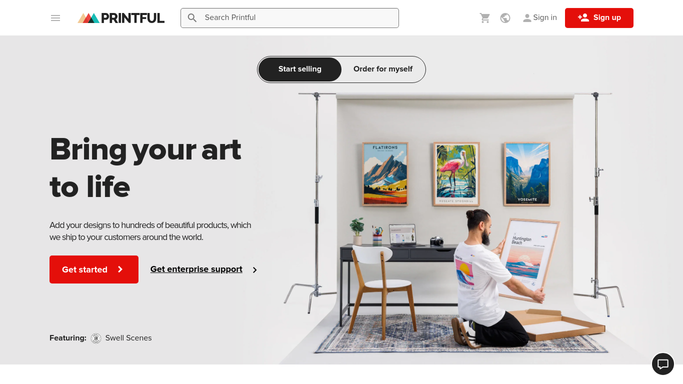
Printful - read current product prices, variants, and availability
printful.com How to Automate Printful

WebRun opens Printful to read current product prices, variants, and availability. - Open Printful and navigate to the synced product list
- For each synced product, record the current price, variant availability, and sync status
- Note any product showing a sync warning or out-of-sync indicator in Printful
Done when Current Printful product data is captured for all synced items.
-
2
Google Sheets - log discrepancies with expected vs. actual values
google.com How to Automate Google Sheets
WebRun opens Google Sheets to log discrepancies with expected vs. actual values. - Open the product sync discrepancy Google Sheet
- Append a dated row for each product where the Printful data differs from the store listing
- Columns: product name, variant, the expected value, the actual value found, and the discrepancy type (price, availability, or missing variant)
- Highlight rows where a price discrepancy is above 5%
Done when All discrepancies are logged in the Google Sheet with expected and actual values.
-
3
Slack - alert the team to the number and severity of mismatches
slack.com How to Automate Slack
WebRun opens Slack to alert the team to the number and severity of mismatches. - Post a Slack message summarizing the total number of discrepancies found today
- Flag any products with a price discrepancy above 5% or a completely missing variant
- Include a link to the Google Sheet for the full discrepancy list
Done when Your team has a Slack summary with a link to the full discrepancy log.


How do I automatically detect product sync mismatches between Printful and my store?
WebRun reads your Printful product catalog every morning, comparing prices, variants, and availability against your connected storefront. Any mismatch is logged to Google Sheets with expected and actual values side by side, and a Slack alert tells your team how many discrepancies need fixing before customers encounter incorrect information.
- Price and variant mismatches are caught every morning before customers see them
- A growing discrepancy log in Google Sheets builds a history your team can audit
- Known intentional differences can be excluded to keep the alert list clean
Built for print on demand sellers · Shopify store owners · WooCommerce operators · ecommerce operations teams
How is each run configured?
Secure by default
Connect once, stays signed in
WebRun signs in once and keeps each session in a persistent environment, so every run picks up right where it left off.
Every action is checked against this policy before it runs.
Questions, answered
Will it fix the sync discrepancies automatically?
No. WebRun identifies and logs the discrepancies. All corrections to your store listings or Printful settings are made by your team after reviewing the Google Sheet.
What kinds of discrepancies does it catch?
It flags price differences, missing or unavailable variants, and out-of-sync availability status between Printful and your connected storefront.
What if the discrepancy is intentional, for example a sale price?
You can add a row to an exclusions tab in the Google Sheet to mark known intentional differences. WebRun skips those products on future runs.
Related templates
Put this on autopilot.
Turn it on in minutes - or have our team set it up for you.