Win back lapsed customers with a personal offer
Every Monday, WebRun opens Printful, identifies customers who last ordered more than 90 days ago with no repeat purchase, then opens Mailchimp to draft a personalized win-back email campaign for each segment. Every draft waits for your review before a single email goes out.
- No credit card
- Under $0.01 per run
- Cancel anytime
What does WebRun do on every run?
The exact actions WebRun takes, in order - in plain language, so you can adjust anything.
-
WebRun signs in and gets to work
Opens
www.printful.com/dashboardin a real browser with your saved login - no setup, no API keys. -
1
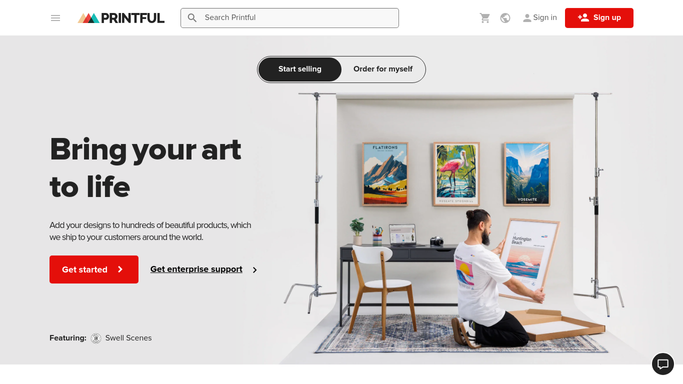
Printful - identify lapsed customers with no repeat order
printful.com How to Automate Printful

WebRun opens Printful to identify lapsed customers with no repeat order. - Open Printful and filter orders to find customers whose last order is more than 90 days old
- Exclude customers who have already received a win-back email in the last 60 days
- Capture each customer's name, email, last product ordered, and order date
- Group them by their last purchase category (apparel, home decor, accessories)
Done when A segmented list of lapsed customers with their last order details is ready.
-
2
Mailchimp - draft a personalized win-back email campaign
mailchimp.com How to Automate Mailchimp
WebRun opens Mailchimp to draft a personalized win-back email campaign. - Open Mailchimp and create a draft campaign for each customer segment
- Personalize the subject line and body with the customer name and last product
- Include a discount code and a link back to your store
- Save every campaign as a draft. Do not schedule or send anything automatically
Done when Win-back campaign drafts are saved in Mailchimp, ready for your review and approval.

How do I automatically identify and win back lapsed print-on-demand customers?
WebRun reviews your Printful order history every Monday, identifies customers who have not reordered in more than 90 days, and drafts a personalized win-back Mailchimp campaign segmented by their last product category. Every draft is held for your approval, so no offer reaches a customer without your review.
- Lapsed customers get a personalized offer instead of silence
- Campaigns are segmented by product category for higher relevance
- Repeat contacts are blocked automatically to protect your list health
Built for print on demand sellers · ecommerce store owners · Etsy sellers · Shopify merchants
How is each run configured?
Secure by default
Connect once, stays signed in
WebRun signs in once and keeps each session in a persistent environment, so every run picks up right where it left off.
Every action is checked against this policy before it runs.
Questions, answered
Will it send emails to customers automatically?
No. Every win-back campaign is saved as a Mailchimp draft and must be reviewed and approved by you before any email is sent. Nothing goes to customers without your action.
How does it decide who is lapsed?
It flags customers whose last Printful order is more than 90 days ago with no subsequent purchase. You can adjust this window by updating the threshold you give WebRun at setup.
Will the same customer be emailed every week?
No. Customers who were included in a win-back draft in the past 60 days are automatically excluded from the next run, preventing repeated contact.
Related templates
Put this on autopilot.
Turn it on in minutes - or have our team set it up for you.