Send owners a clear monthly recap
Every week, WebRun opens the owner statements in DoorLoop, reads each owner's income, expenses, and net distribution for the period, drafts a short plain-English recap email to each owner in Gmail, leaves it unsent for your review, and posts you a Slack list of which owner summaries are ready to send.
- No credit card
- Under $0.01 per run
- Cancel anytime
What does WebRun do on every run?
The exact actions WebRun takes, in order - in plain language, so you can adjust anything.
-
WebRun signs in and gets to work
Opens
app.doorloop.comin a real browser with your saved login - no setup, no API keys. -
1
DoorLoop - read each owner statement
doorloop.com

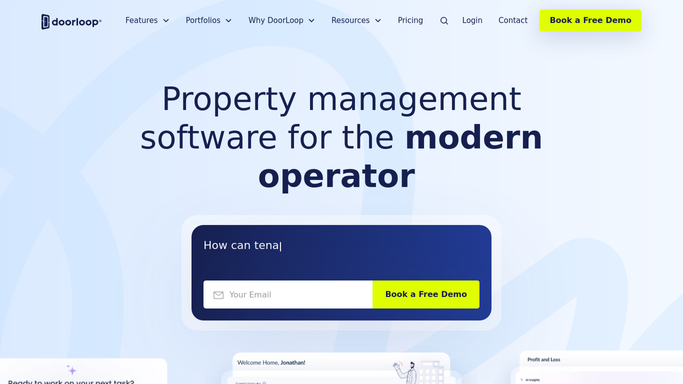
WebRun opens DoorLoop to read each owner statement. - Open the Owner Statements in DoorLoop for the latest period
- Capture each owner's rent collected, expenses, management fee, and net distribution
- Note any property with a negative balance or a held reserve
Done when Every owner statement has been read with its income, expenses, and net.
-
2
Gmail - draft owner recaps
gmail.com How to Automate Gmail
WebRun drafts a plain-English recap for each owner. - Draft a short recap email to each owner with income, expenses, and net distribution
- Keep the tone plain and friendly, and link to the full statement
- Leave every email as a draft for you to review. Never send to an owner automatically
Done when An owner recap draft is ready for each statement.
-
3
Slack - post what is ready to send
slack.com How to Automate Slack
WebRun posts the ready-to-send owner summaries to Slack. - Post a list of owners with their net distribution for the period
- Flag any owner with a negative balance or a held reserve to review first
- Leave it for you to review each recap and send it
Done when You have this period's owner-summary send list in Slack.


How do I send owners a monthly statement summary automatically?
Every week, WebRun opens the owner statements in DoorLoop and reads each owner's income, expenses, and net distribution, then drafts a plain-English recap email to each owner in Gmail. It leaves every email unsent for your review and posts you a Slack list of which summaries are ready, so owners get a clear monthly update you approve first.
- Owners get a clear recap every month, not a raw ledger
- Negative or reserve-held owners get extra review before sending
- Hours of statement write-ups become a quick review and send
Built for property managers · residential property teams · real estate investors · landlords
How is each run configured?
Secure by default
Connect once, stays signed in
WebRun signs in once and keeps each session in a persistent environment, so every run picks up right where it left off.
Every action is checked against this policy before it runs.
Questions, answered
Will it email owners on its own?
No. WebRun drafts each owner recap in Gmail and leaves it unsent. You review the numbers and the wording, then send it yourself, so no owner gets a statement summary you have not checked.
Where do the numbers come from?
It reads each owner's DoorLoop Owner Statement directly, pulling rent collected, expenses, the management fee, and the net distribution, so the recap matches the official statement you already produce.
What about owners who are in the red this month?
Any owner with a negative balance or a held reserve is flagged in the Slack list so you can review and reword those recaps carefully before sending them.
Related templates
Put this on autopilot.
Turn it on in minutes - or have our team set it up for you.