Find shift coverage before a client visit is left uncovered
When a sitter marks as unavailable in Scout, WebRun identifies every affected visit in the next 48 hours, checks which other sitters are available for those slots, drafts coverage request messages to those sitters, and posts an urgent alert to your team Slack channel so nothing falls through the cracks.
- No credit card
- Under $0.01 per run
- Cancel anytime
What does WebRun do on every run?
The exact actions WebRun takes, in order - in plain language, so you can adjust anything.
-
WebRun signs in and gets to work
Opens
scoutforpets.comin a real browser with your saved login - no setup, no API keys. -
1
Scout - identify affected visits and available sitters
scoutforpets.com

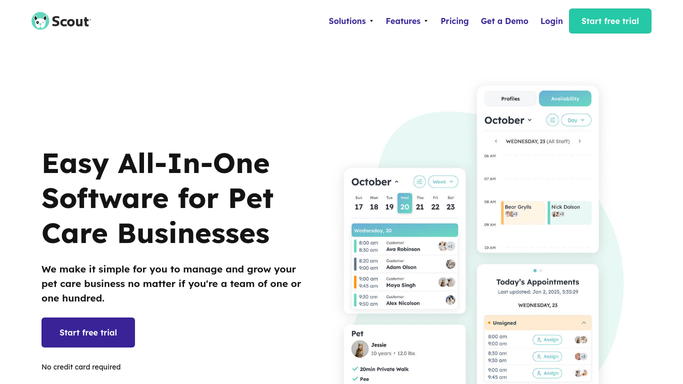
WebRun opens Scout to identify affected visits and available sitters. - Open Scout and check for sitters marked unavailable or absent
- Find all visits assigned to those sitters in the next 48 hours
- Identify other sitters whose schedules show availability for those time slots
Done when Affected visits and a list of available replacement sitters are identified.
-
2
Slack - post urgent coverage alert to team
slack.com How to Automate Slack
WebRun opens Slack to post urgent coverage alert to team. - Post an urgent coverage alert to the team Slack channel listing the uncovered visits
- Include the visit time, client name, pet name, and address for each affected slot
- Tag relevant sitters who may be available to cover
Done when Team sees an urgent alert in Slack with all uncovered visit details.
-
3
Gmail - draft coverage request to available sitters
gmail.com How to Automate Gmail
WebRun opens Gmail to draft coverage request to available sitters. - Draft a coverage request email to each available sitter listing the specific visit details
- Explain the urgency and ask for a quick reply confirming availability
- Leave each draft unsent in Gmail for your review before sending
Done when A coverage request draft is ready in Gmail for each available sitter candidate.


How do I automatically find coverage when a pet sitter calls out?
When a sitter becomes unavailable in Scout, WebRun finds every affected visit in the next 48 hours, checks which sitters are free for those slots, and posts an urgent alert to team Slack immediately. It also drafts coverage request emails to each available sitter and queues them in Gmail for your review before any message is sent to the team.
- Uncovered visits are identified within minutes of a sitter calling out
- Available replacement sitters are found automatically from live Scout schedules
- Team gets an urgent Slack alert immediately so there is maximum time to arrange cover
Built for pet sitting business owners · dog walking company managers · multi-sitter pet care teams
How is each run configured?
Secure by default
Connect once, stays signed in
WebRun signs in once and keeps each session in a persistent environment, so every run picks up right where it left off.
Every action is checked against this policy before it runs.
Questions, answered
Will it send coverage requests to sitters automatically without my approval?
No. Coverage request emails are drafted and left in Gmail for your review. The Slack alert to your team is sent immediately, but nothing goes to a sitter until you approve.
How does it know which sitters are available?
It reads current schedules in Scout to find sitters with no conflicting visits or blocks during the affected time slots.
What if no sitters are available to cover a visit?
The Slack alert flags all uncovered visits clearly so you can make a personal call or arrange alternative coverage. WebRun surfaces the problem immediately so you have maximum lead time.
Related templates
Put this on autopilot.
Turn it on in minutes - or have our team set it up for you.